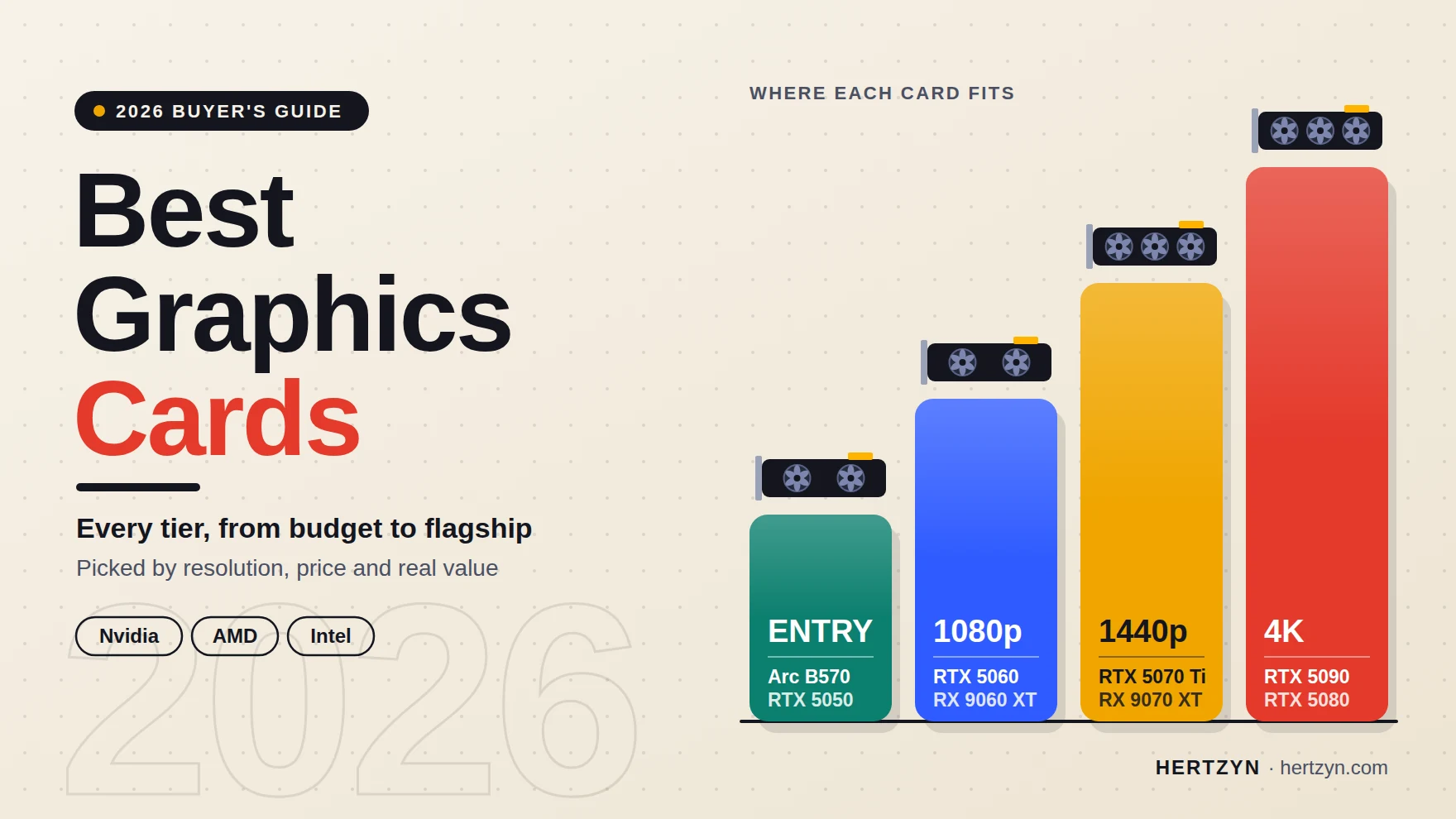

Quick picks. Who picks what, as published by each outlet (research gathered July 2026). Prices move, so check current listings.
| Card | Who picks it | VRAM | MSRP |
|---|---|---|---|
| GeForce RTX 5090 | Tom’s Hardware: “The best graphics card, period”; RedSwitches: best overall | 32GB | $1,999 |
| GeForce RTX 5070 Ti | Tom’s Hardware: best high-end; RedSwitches: best 1440p | 16GB | $749 |
| GeForce RTX 5070 | Tom’s Hardware: best midrange; Newegg and Acer: best overall for 1440p | 12GB | $549 |
| Radeon RX 9070 XT | Tom’s Hardware: best enthusiast value; PC Gamer: best mid-range | 16GB | $599 |
| Radeon RX 9070 | PC Gamer: best overall | 16GB | $549 |
| Radeon RX 9060 XT 16GB | PC Gamer: best value; Tom’s Hardware: best enthusiast value | 16GB | $349 |
| GeForce RTX 5060 Ti 16GB | Newegg: best budget pick (1440p guide); RedSwitches: its pick for ray tracing and AI features under $500 | 16GB | – |
| GeForce RTX 5060 | Tom’s Hardware: best for 1080p | 8GB | $299 |
| GeForce RTX 5050 | PC Gamer: best budget | 8GB | $249 |
| Intel Arc B580 | RedSwitches: best budget option under $300 | 12GB | – |
| Radeon RX 7600 XT | RedSwitches: best budget | 16GB | – |
| Intel Arc B570 | Acer: best budget 1440p (Tom’s Hardware and PC Gamer dropped it) | 10GB | – |
Key Takeaways
- 1If you’re buying for 1440p specifically, three separate outlets (Tom’s Hardware, Newegg, Acer) independently landed on the RTX 5070 as the card built for that resolution, which is rare enough agreement to trust.
- 2Don’t buy any 8GB card expecting to run Multi-Frame Generation in demanding AAA titles; the RTX 5060’s 8GB buffer struggles to keep the feature running consistently because the AI model behind it needs memory of its own.
- 3The Radeon RX 9070 has aged well against the RTX 5070: a 4-to-7 percent lead at launch had grown to about 13 percent by late 2026, even with FSR 4 turned on, though Nvidia still holds the ray tracing edge.
- 4Treat MSRP as history, not a target. RedSwitches’ advice to shop street price rather than sticker price applies everywhere on this list, from the RTX 5090’s $4,299 street high to the RX 9070 GRE selling $100 above its listed MSRP.
Table of Contents
- GeForce RTX 5090
- GeForce RTX 5080
- GeForce RTX 5070 Ti
- GeForce RTX 5070
- GeForce RTX 5060 Ti 16GB
- GeForce RTX 5060
- GeForce RTX 5050
- GeForce RTX 4060
- Radeon RX 9070 XT
- Radeon RX 9070
- Radeon RX 9070 GRE
- Radeon RX 9060 XT
- Radeon RX 7600 XT
- Intel Arc B570
- Intel Arc B580
- Nvidia DLSS 4.5 and Multi Frame Generation
- VRAM requirements by resolution in 2026
- GPU pricing and the 2026 component market
- Power and Case Requirements
- Where reviewers disagree
- The GPU market is not standing still in 2026
GeForce RTX 5090
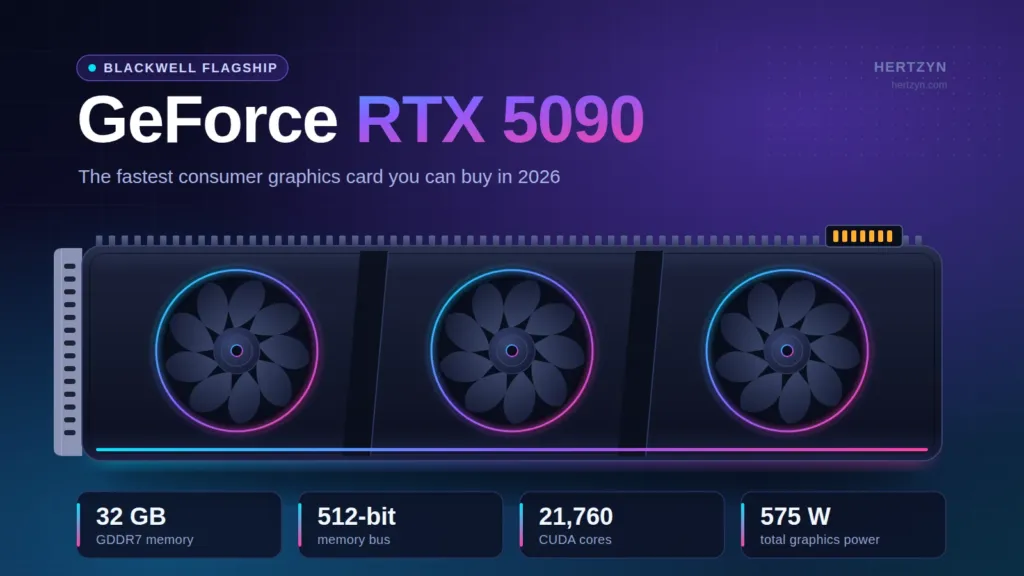
Nobody argues about the RTX 5090’s spot at the top of the stack. It’s the fastest consumer graphics card sold today, and AMD hasn’t put anything on the shelf that competes with it, which means this section isn’t really a contest so much as a description of what the ceiling looks like right now.
| GPU | GB202 |
| GPU Cores | 21760 |
| Boost Clock | 2,407 MHz |
| Video RAM | 32GB GDDR7 28 Gbps |
| Interface | PCIe 5.0 |
| TDP | 575 watts |
Pros
- Fastest GPU on the market
- 32GB of GDDR7 on a 512-bit bus
- Potent AI performance
- Founders Edition design can fit some SFF cases
Cons
- MSRP is largely imaginary in 2026
- Uses the meltdown-prone 12V-2×6 power connector
- Requires careful planning for power and cooling
- Generates significant heat despite its slim design
GeForce RTX 5090 Performance
Against last generation’s champion, the RTX 4090, the 5090 gains roughly 25 to 35 percent at 4K, and that’s before DLSS 4 upscaling and multi-frame generation get involved to push the number further still.
GeForce RTX 5090 Native Gaming Performance
Native 4K Ultra sits at 88.02 fps, but the card’s real party trick shows up once ray tracing and DLSS get switched on together, where it clears 150 fps at the same resolution and settings. Its Time Spy Extreme score of 25206 backs that up as a pure synthetic result, one no other consumer card currently touches.
GeForce RTX 5090 Price and Practicalities
Nvidia set the RTX 5090’s MSRP at $1,999, a $400 jump over the RTX 4090, and that number was already the ceiling of what most people would call reasonable. Street prices have gone as high as $4,299, more than double list, which means the MSRP has stopped functioning as a price anyone actually pays and started functioning as a suggestion nobody enforces.
Not a drop-in upgrade
The 5090 still runs on the 12V-2×6 connector that’s earned a reputation for melting, so anyone installing one needs to seat that cable properly and check it, not just once but every time the card gets moved. Budget for a 1000W-plus PSU and a case with room to spare, because the Founders Edition may be slim, but slim hasn’t stopped it from generating serious heat that the rest of the build has to deal with.
GeForce RTX 5080
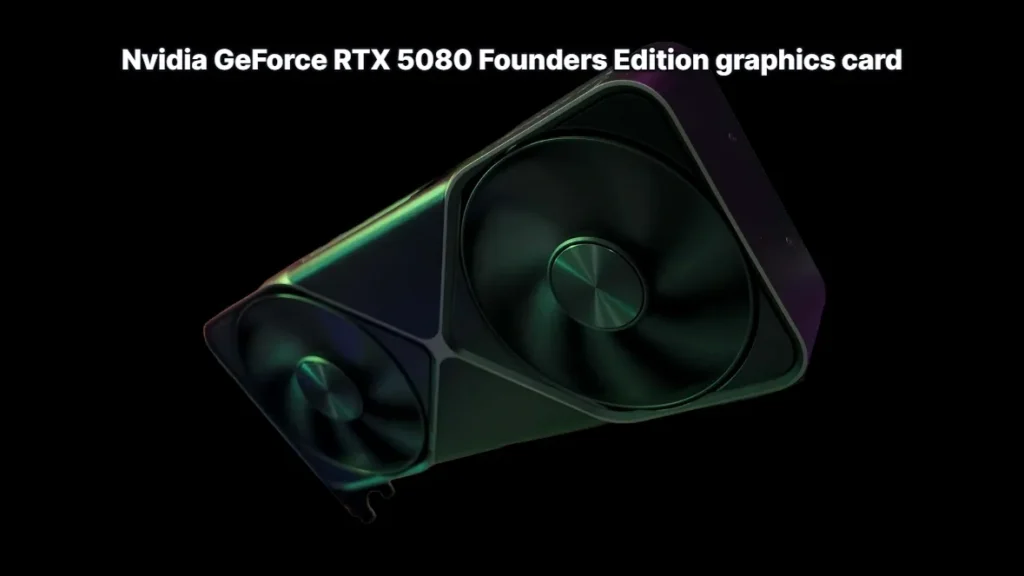
The RTX 5080 runs anywhere from 8 to 16 percent ahead of the RTX 5070 Ti depending on the game, according to Tom’s Hardware, and that gap widens toward the top of that range specifically at 4K, which is where the 5080 starts to look like a card built for a different resolution than its cheaper sibling.
That 8 to 16 percent speed advantage comes with a 33 percent higher price tag than the 5070 Ti, a gap that dwarfs the performance it buys, and Tom’s Hardware concludes flatly that the premium isn’t worth paying right now.
So who’s the 33 percent actually for? Newegg points to 1440p monitors running above 240Hz, where the extra headroom keeps frame times steady even when the resolution itself doesn’t demand it. RedSwitches takes the opposite angle, framing the 5080 as good value for 4K next to the far pricier 5090. Acer splits from both, calling it overkill for most 1440p gaming outright. Three labs, three different jobs for the same card, and none of them agree on which one it’s actually built for.
| VRAM | 16GB GDDR7 |
| TDP | 320W |
| Recommended PSU | 750W |
| 3DMark Time Spy Extreme (GPU Score) | 16252 |
GeForce RTX 5080: Average Gaming Performance
GeForce RTX 5070 Ti
The RTX 5070 Ti is Tom’s Hardware’s pick for best high-end graphics card on the market, and the case rests as much on software as silicon: full support for DLSS 4.5 and Multi Frame Generation, the pair of features Nvidia is betting its whole stack on this generation.
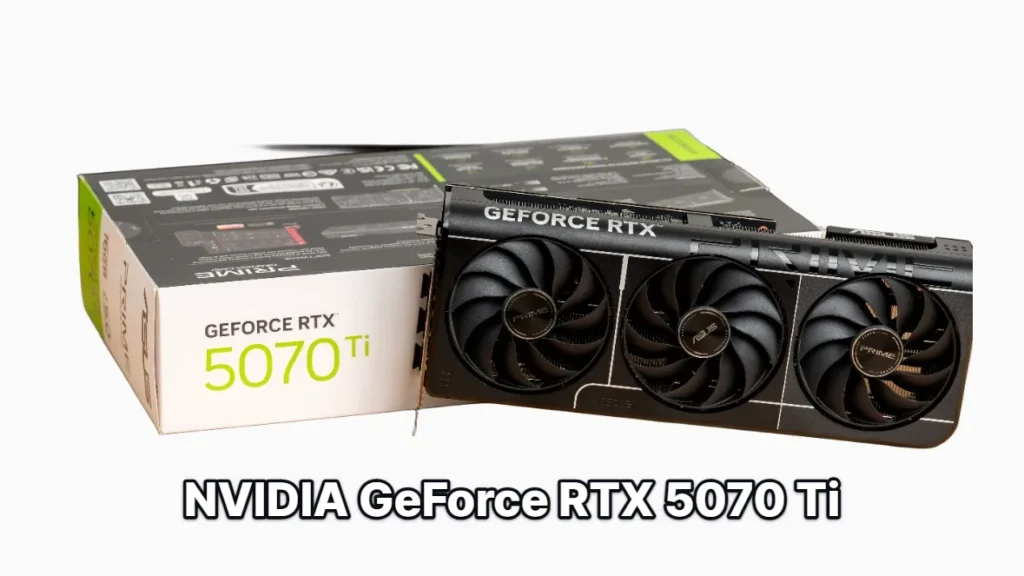
| GPU | GB203 |
| GPU Cores | 8960 |
| Boost Clock | 2,452 MHz |
| Video RAM | 16GB GDDR7 28 Gbps |
| TDP | 225 watts |
Pros
- Good balance of performance and price, at MSRP
- 16GB of VRAM on a 256-bit interface
- Latest Nvidia architecture and feature set
Cons
- Only a minor improvement over the RTX 4070 Ti Super
- Mid-2026 street pricing sits far above MSRP
A significant price premium over AMD’s closest rival
Against the Radeon RX 9070 XT, the math is brutal on paper: 45 percent more money buys 5 percent more speed. What that comparison leaves out is ray tracing, where the RTX 5070 Ti pulls ahead of the 9070 XT, and for anyone running path-traced titles that gap matters more than the raw framerate delta does.
Tom’s Hardware frames the purchase differently than a single generation’s price-per-frame math would suggest, treating high-end GPUs as 5- to 8-year investments. Stretched across that timeline, DLSS 4.5 support and the ray tracing edge over AMD carry more weight than they would in a straight one-year comparison.
Nobody agrees on what this card actually costs
Street prices swing from $699 to $1,099 depending on who’s tracking them. RedSwitches puts the range at $699 to $799, Acer notes prices around $820, PC Gamer saw $900 to $990, and Tom’s Hardware reports a median of $1,099. Newegg’s April update went further, saying the price at that point had pushed the card out of contention for 1440p entirely, the exact resolution it’s supposed to own.
Where the RTX 5070 Ti actually earns its keep: 1440p
The RTX 5070 Ti is RedSwitches’ outright pick for best 1440p gaming GPU, holding competitive titles at 240Hz while pushing AAA games past 100 FPS. Acer lands on the same resolution from a different angle, recommending it for 1440p 240Hz panels running heavy ray tracing, and noting it pairs well with 1440p 360Hz displays once DLSS 4 is switched on. Two reviewers, two different test paths, the same conclusion about which resolution this card is built for.
It’s the sensible stopping point in Nvidia’s own lineup in Acer’s framing, the last card before prices climb into the steeply priced RTX 5080 territory above it.
GeForce RTX 5070
Three outlets landed on the same card from different angles. Tom’s Hardware calls the RTX 5070 the best midrange graphics card on the market, while Newegg and Acer independently crown it the best overall 1440p GPU, which is a rarer thing than it sounds: reviewers usually split on where the sweet spot sits.
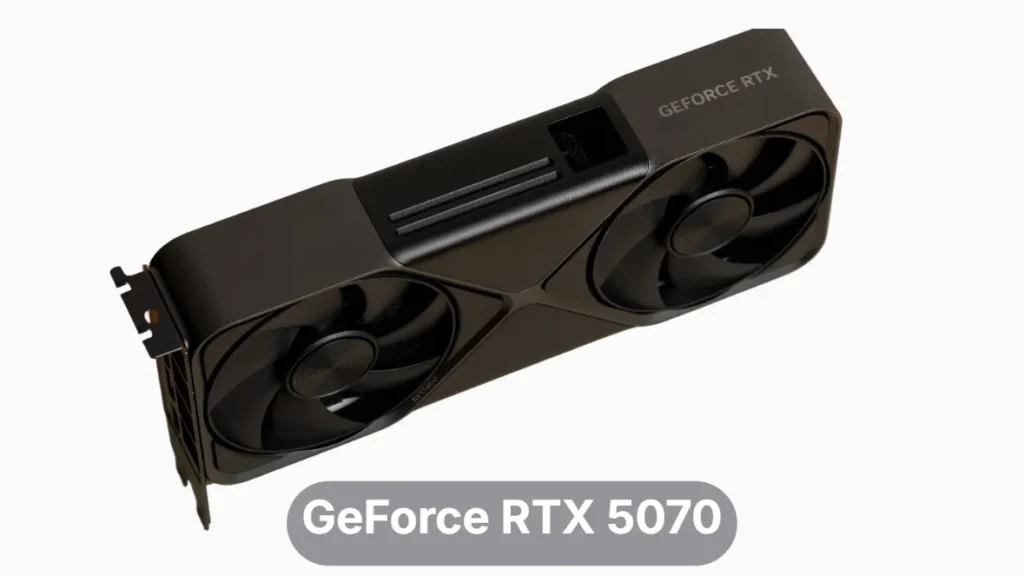
| GPU Cores | 6144 |
| Boost Clock | 2512 MHz |
| Video RAM | 12GB GDDR7 28 Gbps |
| TBP | 225 watts |
Against the RTX 5060 Ti 16GB, the math tilts hard in the 5070’s favor: about 30 percent more performance for only 15 percent more money. Anyone already budgeting for the 5060 Ti is leaving real speed on the table by not stretching that extra 15 percent.
Nvidia held the line on paper, pricing the RTX 5070 at the same $549 MSRP as the outgoing RTX 4070. Tom’s Hardware finds it actually selling for around $670, over $100 above that number, which is the gap anyone shopping this year needs to plan around rather than the sticker Nvidia printed.
The RTX 5070 averages roughly 135 FPS at 1440p Ultra in Newegg’s buying guide, and Acer’s more conservative read still has it clearing 100 FPS in current games at that same setting. Turn on DLSS 4 and Acer sees many titles pushed well past 150 FPS, which is exactly why Acer recommends the card for 144Hz to 165Hz 1440p monitors instead of anything faster.
The 12GB ceiling
The one number that keeps coming up as a caveat is 12GB of VRAM, set against the 16GB that AMD’s rival cards carry. It’s plenty for the 1440p Ultra numbers reviewers are posting today, but it’s the figure that will decide how long this card stays comfortable as VRAM demands climb.
GeForce RTX 5060 Ti 16GB
This card splits into two products wearing the same name, and only one of them deserves the reputation the RTX 5060 Ti built before 2026, when Tom’s Hardware named it the favorite entry-to-midrange pick. Newegg still calls the 16GB version the best budget 1440p option on the market. The 8GB version wears the same badge on the box and doesn’t earn it.
GeForce RTX 5060 Ti 16GB
The recommended half of a split product line16GB of GDDR7 at a 180W TDP is enough headroom that this card doesn’t have to think twice about VRAM the way its 8GB sibling does. Newegg’s own numbers put it around 115 FPS at 1440p Ultra, which is the frame rate a budget 1440p buyer is actually shopping for.
GeForce RTX 5060 Ti vs. Radeon RX 9060 XT
At 1080p the RX 9060 XT nearly matches the RTX 5060 Ti, and the two stay close at 1440p too. The gap only opens at 4K, where Nvidia’s card pulls clearly ahead, though nobody should be buying either of these for 4K gaming in the first place.
| Metric | GeForce RTX 5060 Ti 16GB | Radeon RX 9060 XT 16GB |
|---|---|---|
| Peak Power Draw (Watts) | 207W | 182W |
| Peak Temperature (°C) | 67°C | 57°C |
AMD wins the efficiency argument outright: PC Gamer measured the RX 9060 XT 16GB peaking at 182 watts against the RTX 5060 Ti’s 207 watts, and it runs cooler too, 57 degrees Celsius versus 67. What keeps buyers on the Nvidia side despite that is the software stack, not the silicon. RedSwitches names the 5060 Ti the best pick for ray tracing and AI features under $500, and that’s the feature set a budget 1440p buyer pays the extra watts for.
The 8GB Variant: A Cautionary Tale
The 8GB RTX 5060 Ti is the closest rival to AMD’s RX 9060 XT 16GB by Tom’s Hardware’s reckoning, and just stating the matchup gives away the problem: one of these cards has double the VRAM of the other before either has rendered a frame.
Avoid the 8GB Model
Tom’s Hardware cannot recommend the 8GB RTX 5060 Ti at all, and the reasoning is simple: anyone spending over $350 on a graphics card shouldn’t have to sit in a settings menu fine-tuning texture quality to keep from running out of VRAM.
The 16GB RTX 5060 Ti is priced between $449 and $499 in RedSwitches’ guide, and at that price it’s the version worth the money: full VRAM headroom, the ray tracing and AI feature set, and 1440p performance to match. The 8GB version sitting alongside it on shelves is the value trap, cheaper on paper and a compromise the moment a game asks more of it than 8 gigabytes can give.
GeForce RTX 5060
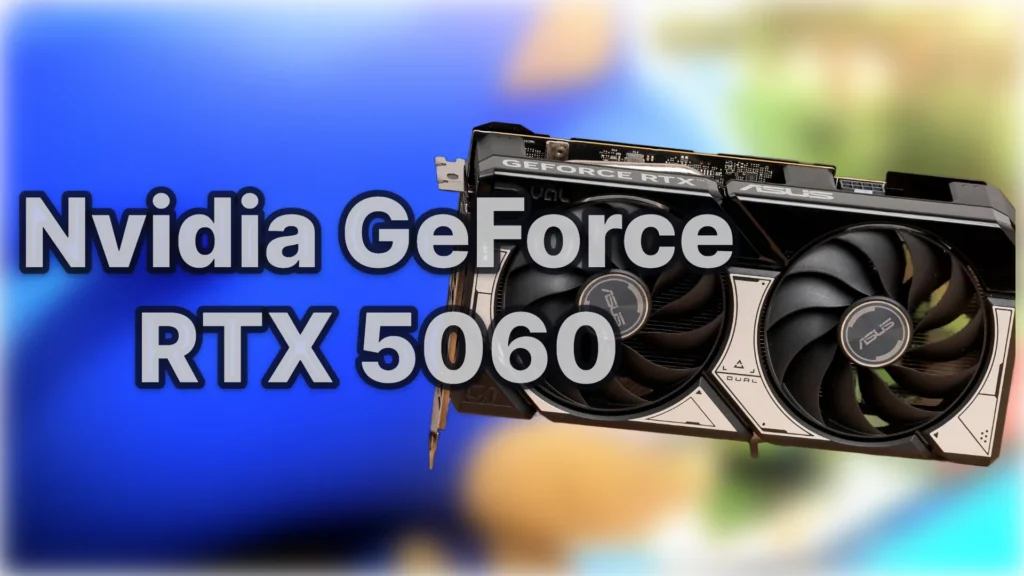
The RTX 5060 is Tom’s Hardware’s best bet for 1080p gaming in mid-2026, and it earns that spot despite selling nowhere near its old list price. AI demand has pushed the midpoint street price to around $370, though patient shoppers can still find one for as little as $350. RedSwitches still lists it among entry-level cards under $349, but that number describes the exception, not what most buyers will actually pay.
| GPU | GB206 |
| GPU Cores | 3072 |
| Boost Clock | 2,460 MHz |
| Video RAM | 8GB GDDR7 17 Gbps |
| TGP | 115 W |
The baseline performance holds up well at 1080p, and it shows in exactly the games most people actually run: Fortnite, Counter-Strike 2, Marvel Rivals, and Apex Legends all sit comfortably within what 8GB of VRAM can handle. None of those titles push memory allocation anywhere near the ceiling, which is precisely why the card looks so good in them and precisely why that praise doesn’t travel to heavier games.
8GB Isn’t Enough for Frame Generation
Multi-Frame Generation is an AI model, and AI models need memory to run alongside whatever the game itself is already using. When a demanding title fills most of that 8GB frame buffer on its own, there’s nothing left for MFG to work with, so the feature simply stops functioning right when a player would want it most.
AMD’s Radeon RX 9060 XT 8GB is the closest thing the RTX 5060 has to real competition, and it launched at the same $299 list price. The trouble is finding one: supply of the RX 9060 XT 8GB has largely dried up in mid-2026, which turns a close call on paper into an easy one at the shelf. That leaves the RTX 5060 as the more consistently solid and available gaming experience, whatever the spec sheets say.
GeForce RTX 5050
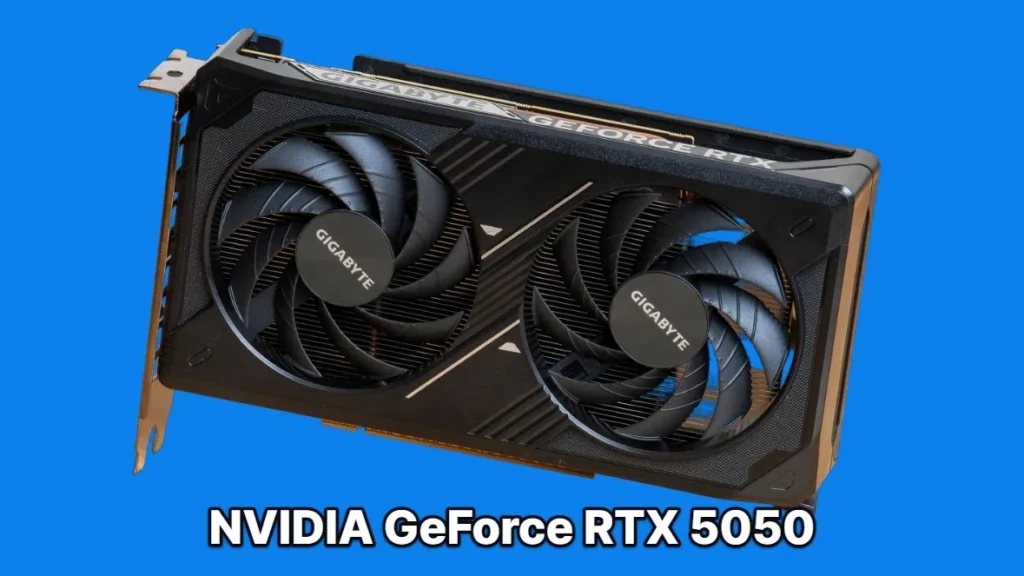
The Arc B570 had a run as the budget default, and the RTX 5050 just ended it. Tom’s Hardware now calls the 5050 the cheapest card worth buying, and PC Gamer landed on the same conclusion from its own testing, naming it the best budget graphics card on the market. Two reviwers are agreeing on the bottom of the stack is worth noting, because that’s usually where recommendations scatter the most.
| GPU Cores | 2560 |
| Boost Clock | 2572 MHz |
| Video RAM | 8GB GDDR6, 20 Gbps |
| TDP | 130 W |
At 1080p the card holds a 60-plus FPS average in raster games, and PC Gamer’s own suite puts it at 57 FPS, close enough that both numbers describe the same experience: a card that plays current games at 1080p without apology.
In PC Gamer’s numbers, the story moves with resolution: the RTX 5050 beats the Arc B570 by 11 percent at 1080p, but that lead shrinks to 6 percent at 1440p, and by 4K the B570 is actually about 3 percent faster. A card that wins at low resolution and loses at high resolution isn’t getting slower, something else is running out.
8GB is the ceiling
The 8GB VRAM allocation is the real limit on this card, as Tom’s Hardware flags. It’s built for 1080p, and that reversal against the B570 at 4K is exactly what running out of memory looks like on a chart.
The RTX 5050 sells for about $300 in Tom’s Hardware’s tracking, roughly $50 more than the Arc B570 it replaced as the budget pick. RedSwitches puts the range lower, between $229 and $269, which means shoppers willing to look around can land well under that $300 figure.
GeForce RTX 4060
The RTX 4060 still holds a slot as an entry-level card in RedSwitches’ lineup, and that’s really the whole pitch: it’s the cheapest ticket into Nvidia’s software stack, running both DLSS 3 and the newer DLSS 4 rather than being locked out of the upgrade the way older cards further down the stack are. For anyone who wants Nvidia’s upscaling and frame generation without paying current-gen prices, this is where that starts.
Pros
- Power-efficient design that keeps heat and electricity draw low
- Strong performance for competitive esports titles
Cons
- Limited to just 8GB of VRAM, per RedSwitches
- Little future-proofing for anyone planning to game at 1440p
A 1080p card
A 115W TDP is what lets the RTX 4060 run cool and quiet in a competitive esports build, but the 8GB VRAM buffer that comes with it is the same number that rules out 1440p as anything more than an occasional experiment. Buy this one for 1080p and don’t plan past it.
Radeon RX 9070 XT
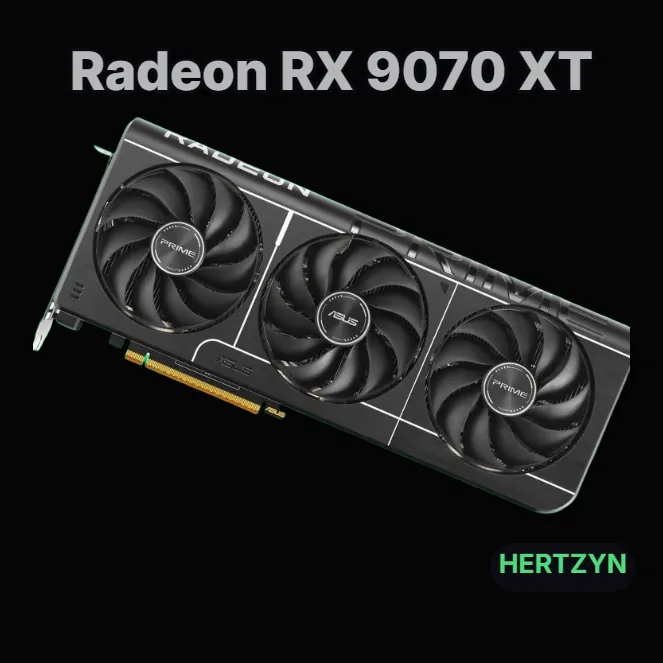
Radeon RX 9070 XT
AMD’s top pick, four different waysMultiple reviewers, four labels, one card: Tom’s Hardware, PC Gamer, Newegg and Acer each hand the RX 9070 XT a top spot in whatever category they slice its price and performance into.
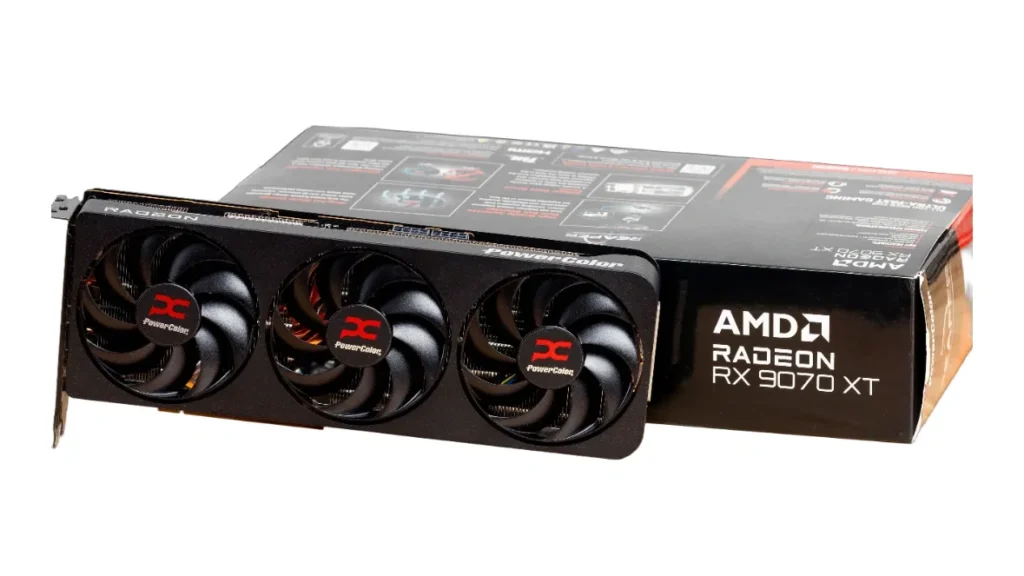
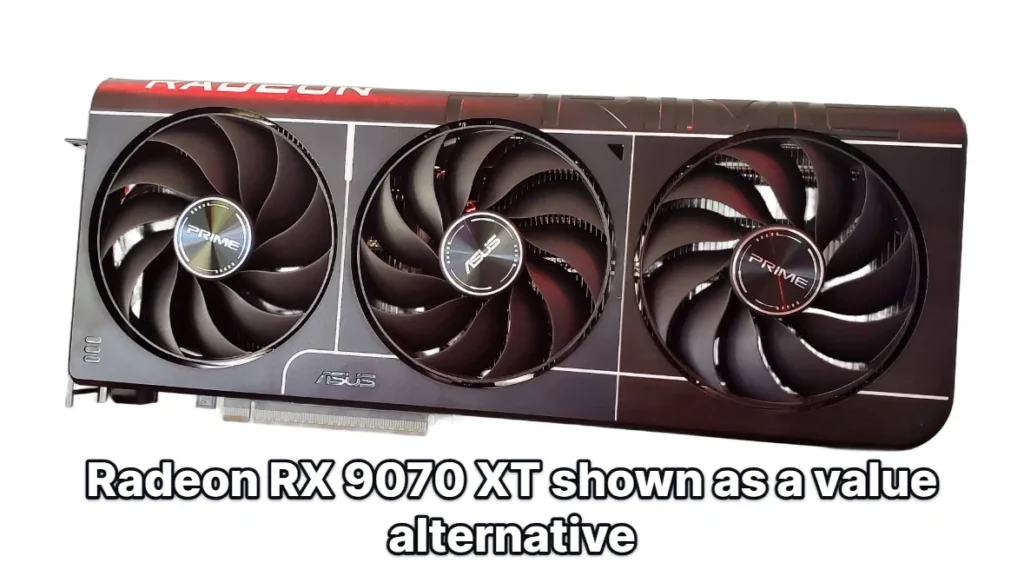
The RX 9070 XT runs on AMD’s Navi 48 GPU, the silicon underneath all four of those recommendations.
| GPU | Navi 48 |
| GPU Cores | 4096 |
| Boost Clock | 2,970 MHz |
| Video RAM | 16GB GDDR6 @ 20 Gbps |
| TDP / TGP | 225W (Tom’s Hardware) / 304W (PC Gamer) |
| Peak Power Draw | 366W (PC Gamer) |
Raw performance lands close to the RTX 5070 Ti and trades blows with the pricier RTX 5080 in rasterization tests, and undervolting closes most of what gap remains to the 5070 Ti for anyone willing to tune the card themselves.
Radeon RX 9070 XT: 1440p Gaming Performance
None of that raw performance comes free, though. The software side of the RX 9070 XT carries caveats significant enough to matter to anyone actually buying one.
The software gaps Tom’s Hardware found on retest
Tom’s Hardware couldn’t enable path tracing at all in Pragmata or Resident Evil Requiem on the RX 9070 XT, hit major performance issues in Grand Theft Auto V Enhanced during retesting, and saw minor visual corruption in Stalker 2. None of it showed up on comparable GeForce cards, which makes these AMD-specific problems rather than engine quirks everyone shares.
Reviewers can’t agree on which upscaler this card runs
Tom’s Hardware and RedSwitches list the RX 9070 XT as running FSR 4, while Newegg has it on FSR 3.1. That’s not a rounding error between reviewers, it’s a disagreement over which upscaling generation the card actually supports, and buyers shouldn’t need to resolve that themselves before checkout.
Street prices swing from about $599 to $799 depending on which reviewer’s tracking you trust, a gap wide enough to change which card it’s actually competing against. Anyone priced out of that range has two cheaper AMD options waiting: the standard Radeon RX 9070, and the Radeon RX 9070 GRE.
Radeon RX 9070
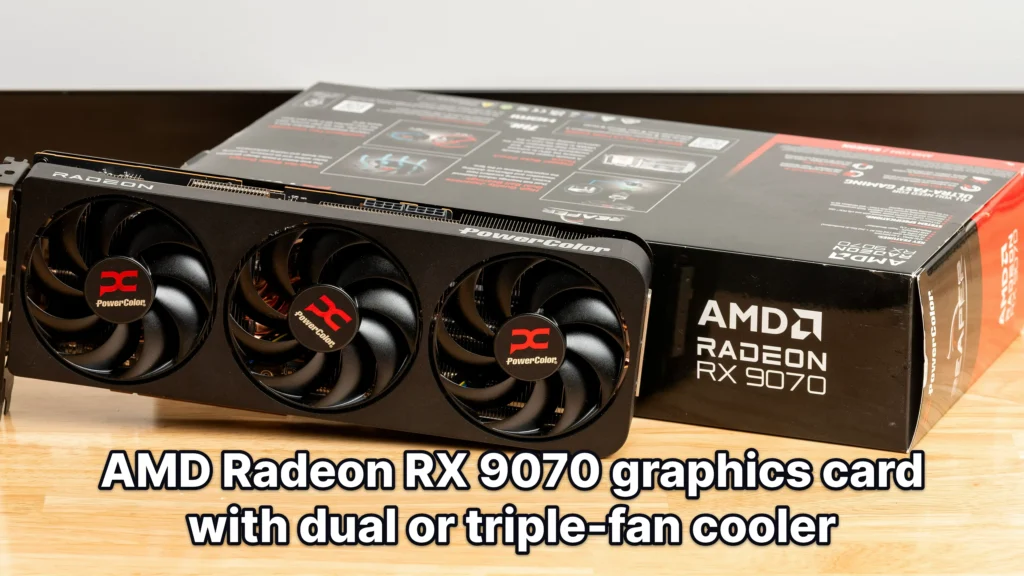
The Radeon RX 9070 is PC Gamer’s best overall graphics card for 2026, no qualifiers about budget or midrange tiers. That’s a stronger claim than anything AMD has earned from that review in years, and it puts the 9070 in direct competition with Nvidia’s own recommended picks rather than off to the side as the alternative for people who don’t want to deal with Nvidia.
| GPU | Navi 48 |
| GPU Cores | 3584 |
| Boost Clock | 2520 MHz |
| Video RAM | 16GB GDDR6, 20 Gbps |
| TBP | 220 watts |
Street price on the 9070 runs from about $549, Acer’s figure, to $634 in Tom’s Hardware’s tracking. That low end is close enough to what AMD’s own GRE goes for that the two start to overlap on price even though they don’t compete on tier. That’s the going rate for a card PC Gamer’s own numbers show comfortably beating the RTX 5070, which is the comparison that actually matters here since the 5070 is the card most shoppers would cross-shop against it.
Black Myth: Wukong (1440p High)
Push it and the 9070 overclocks to within 2 percent of its pricier XT sibling, which turns the gap between them into more of a suggestion than a hard wall. PC Gamer measured peak power draw at 270 watts under that load, and the card still ran about 20 degrees cooler than the RTX 5070 doing the same work. A card that beats its direct rival on performance, undercuts it on heat, and can be tuned to chase its own more expensive sibling is exactly the kind of thing that earns a best-overall pick from somebody.
Not everyone agrees it’s the pick
Tom’s Hardware sees the same card and lands somewhere else entirely, treating it as a solid midrange alternative rather than anybody’s overall best. Where Tom’s Hardware does give it credit is VRAM: 16GB against the RTX 5070’s 12GB, an advantage that barely registers at 1080p or 1440p but starts to matter once you’re running native 4K, where the extra headroom keeps textures from getting pushed out of memory mid-session.
Software still lags the hardware
The 9070 inherits every software complaint leveled at the 9070 XT, since they share the same driver stack and the same gaps. Path tracing is locked out entirely in Pragmata and Resident Evil Requiem, and testers ran into visible glitches in Grand Theft Auto V Enhanced and Stalker 2. That’s the recurring asterisk on every RDNA 4 recommendation this generation, and it’s the strongest reason Tom’s Hardware won’t put this card at the top of its list.
Radeon RX 9070 GRE
The Radeon RX 9070 GRE spent its early life as a China-only card, and Computex 2026 is what changed that, putting it in front of a global audience for the first time.
| GPU | Navi 48 |
| Compute Units | 48 |
| Shaders | 3072 |
| Memory | 12GB GDDR6 |
| TBP | 220W |
| MSRP | $449 |
Reviewers Split on What the GRE Is Worth
Tom’s Hardware reviewed the card at $549 and came away unconvinced, pointing to compromises made to hit that price and concluding the performance on offer doesn’t justify it. The card didn’t make their recommended list.
RedSwitches sees the same card differently, framing it as a bridge that sits between the RX 9060 XT and the RX 9070 XT, a useful stop for anyone who wants more than the 9060 XT offers without paying for the 9070 XT’s premium.
A $100 Gap Between Sheet and Shelf
PC Gamer’s spec table lists a $449 MSRP for the RX 9070 GRE, but Tom’s Hardware reviewed it at $549, framing that as a step up from the 9060 XT for under $100 more. Whichever number a buyer actually pays decides which review turns out to be describing their purchase.
Right now the global card ships with 12GB, though RedSwitches reports a 16GB variant is rumored for later availability, which would change the long-term math for anyone weighing this against pricier options.
Radeon RX 9060 XT
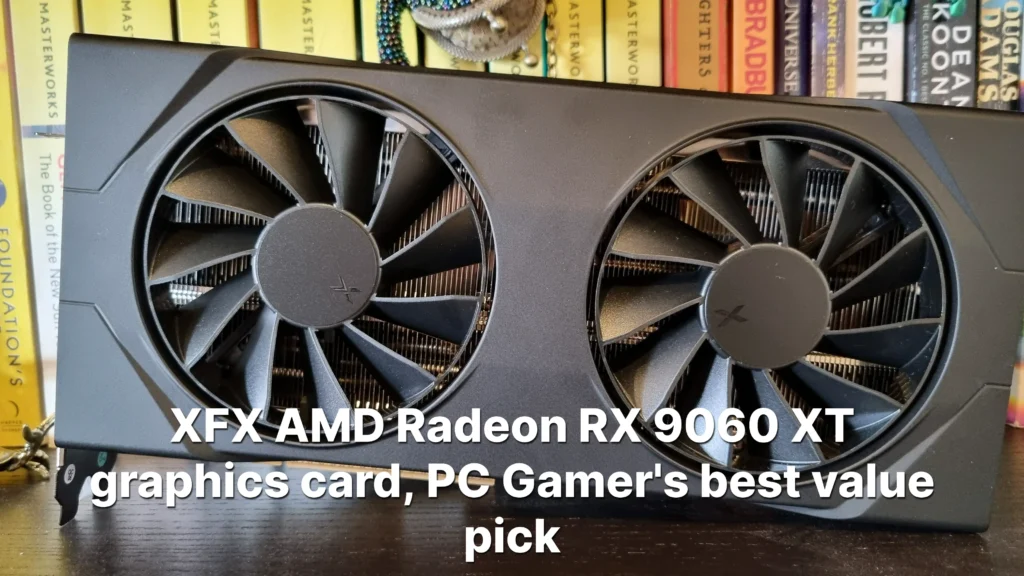
Three separate outlets on the same card this time: Tom’s Hardware gave the Radeon RX 9060 XT an Editor’s Choice for enthusiast value, PC Gamer named it its best value graphics card, and Acer named the 16GB version the best value 1440p GPU. That’s not one reviewer’s pet pick, it’s three of them independently pointing at the same box, and the reason is straightforward: this card handles most mainstream games at 1080p and 1440p without asking for enthusiast-tier money to do it.
| GPU | Navi 44 |
| GPU Cores | 2048 |
| Boost Clock | 3,130 MHz |
| Video RAM | 16GB GDDR6 20 Gbps |
| TGP | 160 watts |
Pros
- Nearly matches the pricier RTX 5060 Ti
- 16GB version carries ample VRAM for 1440p gaming
- Runs cool and pulls very little power
Cons
- The $349 MSRP is basically imaginary now, per Tom’s Hardware
- FSR Frame Generation only doubles the frame rate
- The 8GB variant isn’t recommended for 1440p gaming
The real case for this card is in PC Gamer’s numbers: the RX 9060 XT trails the RTX 5060 Ti by under 1% at 1080p and by only 3% at 1440p, a gap small enough that most shoppers won’t notice it in play. Newegg’s buying guide puts the card at an average of about 108 FPS at 1440p, which is the kind of number that makes the pricier Nvidia card hard to justify on performance alone.
The $349 MSRP that made this card’s reputation is, in Tom’s Hardware’s words, basically imaginary now: the reviewer clocked its midpoint street price at $459.99, and Acer’s own figures put street prices near $460 against that same $349 launch number. A card sold as a budget pick at $349 is a different purchase entirely once it’s actually selling for over a hundred dollars more.
Buy the 16GB, skip the 8GB
Both Tom’s Hardware and PC Gamer land on the same advice: skip the 8GB model and pay for the 16GB version. At 1440p, where this card is meant to live, the extra VRAM is what keeps it out of the compromise territory the 8GB variant sits in.
The 16GB version is Newegg’s pick for best power efficiency, and the numbers back that up: PC Gamer measured a peak power draw of just 182 watts and a peak temperature around 57 degrees Celsius. That combination makes it an easy fit for smaller builds or systems running a modest power supply, without the cooling demands the higher tiers carry.
The one place this card falls behind isn’t raw performance, it’s software: FSR Frame Generation only doubles the frame rate, where Nvidia’s Multi Frame Generation offers more room to work with. For anyone weighing the two ecosystems rather than just the benchmarks, that’s the gap the RX 9060 XT still hasn’t closed.
Radeon RX 7600 XT
The Radeon RX 7600 XT is RedSwitches’ best budget gaming graphics card on the market, and the pitch starts with a number that shouldn’t exist at this price tier: 16GB of VRAM. Cards costing considerably more still ship with half that, which makes the 7600 XT’s memory allocation the rare budget spec that reads like a typo until you check it twice.
Pros
- 16GB of VRAM at a budget price point
- Great 1080p performance
- Strong raw rasterization performance for its price tier
Cons
- Ray tracing performance is weaker than competing Nvidia cards
- FSR 4 support is not as widespread as DLSS 4
The card is priced between $299 and $349 in RedSwitches’ guide, and at that price it handles 1080p gaming without complaint and stretches into light 1440p work when the settings are tuned down. For a buyer who cares more about raw frames and headroom than ray tracing polish, that range puts a lot of rasterization performance and a lot of VRAM in the same box.
Who this card is actually for
The RX 7600 XT makes sense for gamers who want VRAM headroom and raw rasterization performance for the least money, and who aren’t planning to lean on ray tracing. The tradeoff is the same one AMD has carried all generation: ray tracing performance trails competing Nvidia cards, and FSR 4 hasn’t reached the breadth of games that DLSS 4 covers.
Intel Arc B570
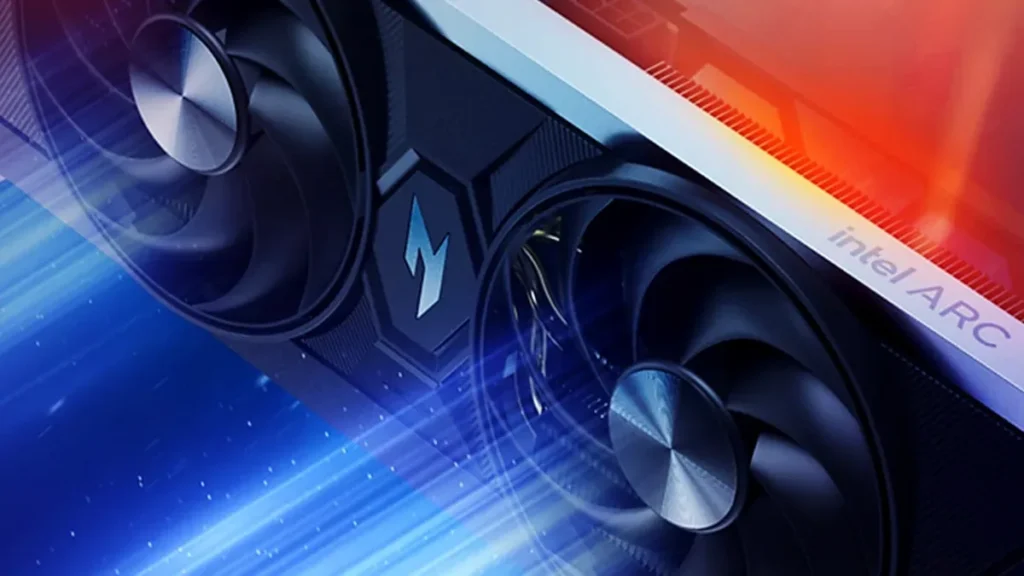
Two of the labs that recommend cards elsewhere in this list have walked away from the Arc B570 entirely, while Acer Corner still puts it at the top of its budget 1440p category. That’s not a minor disagreement about how much a card is worth; it’s a split over whether the card can be trusted to run at all, which makes the B570 the riskiest recommendation on this whole list depending on whose verdict a buyer trusts.
The case against the Arc B570
Tom’s Hardware pulled the Arc B570 as its budget pick for 2026 after watching Fortnite’s Nanite and Lumen settings sit locked out for months on end, a bug serious enough that testing for the reviewer’s own 2026 GPU Hierarchy had to be delayed until the day before publication. Tom’s Hardware says it has no way of knowing when the next major issue like that one will show up, and that uncertainty, not any single benchmark, is the reason the card lost its spot.
PC Gamer says the Arc B570’s value proposition has evaporated outright, pointing to driver problems that still crop up in Cyberpunk 2077 as proof the fixes haven’t caught up with the launch promises. The card’s 10GB of VRAM does let it edge past the RTX 5050 at 4K, but that lead disappears at any resolution below it, which matters because a budget card built for 1440p and 1080p buyers almost never gets used at 4K in the first place.
The case for the Arc B570
Acer Corner still calls the Arc B570 the best budget 1440p GPU on the market, built around an MSRP near $220 and that same 10GB of VRAM that Tom’s Hardware and PC Gamer both cite as the card’s strongest hardware asset. Acer Corner’s argument rests on trajectory rather than a single snapshot: Intel’s drivers have improved dramatically over the past year, and the recent breakdowns read as exceptions against that longer trend rather than proof the platform is still unfinished.
For anyone unwilling to bet on Intel’s driver team fixing the next Fortnite-style lockout before it happens, Acer points to the step-up Arc B580 as the safer hedge, offering more headroom for around $264.
Intel Arc B580
Intel Arc B580
Intel’s step-up Battlemage cardThe Arc B580 has sold for anywhere from $250 to $304 in recent weeks in PC Gamer’s tracking, and RedSwitches still calls it the best budget option under $300 at that price. For a card carrying 12GB of GDDR6 and Intel’s XeSS 2 upscaling, that range makes it one of the few graphics cards left where the sticker and the shelf price aren’t telling two different stories.
12GB of VRAM on a sub-$300 card is the whole pitch. It’s enough to run modern games comfortably at 1080p and hold up at medium 1440p settings too, a resolution most budget cards in this price range aren’t built to touch. Intel’s XeSS 2 upscaling adds another layer on top of that in the games that support it, pushing frame rates further without asking the buyer to drop settings to get there.
Pros
- RedSwitches’ pick for the best budget option under $300
- 12GB of VRAM covers 1080p and medium 1440p settings
- XeSS 2 upscaling adds frame rate headroom in supported games
Cons
- Driver support still trails AMD and Nvidia, though it keeps improving
- Limited adoption in professional creative software makes it a poor pick for anyone doing more than gaming
- Tom’s Hardware couldn’t even finish its 2026 testing because a months-long game lockout got in the way, which says as much about the state of Intel’s software as any benchmark would
Nvidia DLSS 4.5 and Multi Frame Generation
Nvidia used CES 2026 to put a number on how far DLSS has spread and to hand out two upgrades at once. Some version of DLSS now shows up in more than 1,000 titles, and DLSS 4.5 adds a second-generation transformer model behind Super Resolution along with a new 6X Multi Frame Generation mode. One is about image quality, the other about how many frames the card can fabricate rather than render, and Nvidia is shipping both under the same version bump.
A Smarter Super Resolution Model
The new transformer model runs on five times the compute of its predecessor and was trained on a larger, higher-fidelity dataset, and the more interesting change is where it does its math: linear space instead of logarithmic space. That shift is what lets it hold onto detail in neon lights and reflections that the older model would crush or blow out, and it shows up downstream as less ghosting on fast-moving objects, sharper edges, and less shimmering over time. None of those are separate fixes; they’re what falls out of processing the image in a space that matches how light actually behaves.
The Super Resolution upgrade is live now through the Nvidia app across more than 400 games and apps, but where a card sits in the RTX lineup decides how much it actually benefits. RTX 40 and 50-series cards run it as intended; RTX 20 and 30-series cards lack native FP8 support, which means the new model costs them more performance to run than it gives back. Older DLSS 4 still covers those cards back to the RTX 20-series, and Nvidia’s app can force DLSS 4 into titles that never added native support, so nobody on older silicon is locked out entirely, they just aren’t the audience this upgrade was built for.
Multi Frame Generation Gets a 6X Boost
Multi Frame Generation is an RTX 50-series exclusive, and the new 6X mode generates five extra frames for every frame the card actually renders, pushing the total boost from the existing 5x mode up to 6x. RTX 40-series cards are stuck at plain Frame Generation’s 2x boost, which is the clearest line yet between what the 50-series gets and what the 40-series doesn’t. In 4K path-traced games, that 6X mode is rated to lift frame rates by up to 35%, and it ships this spring.
DLSS 4.5 also introduces Dynamic Multi Frame Generation, which stops treating the multiplier as a fixed setting and adjusts it in real time instead, targeting the monitor’s own refresh rate and generating only as many frames as it takes to stay smooth. That’s a change in philosophy as much as a feature: rather than always running at whatever multiplier a player picked, the card works out what the display actually needs and stops there.
More than 250 games and apps already support DLSS 4 with Multi Frame Generation, and the list is still growing: both Pragmata and Resident Evil Requiem are planned additions, which keeps the feature attached to major upcoming releases rather than fading into a launch-year gimmick.
A Developer-Side Upgrade Too
None of this is aimed at players directly. Nvidia’s RTX Neural Texture Compression SDK speeds up BC7 texture encoding by 6x for developers building the next wave of DLSS-supported games, and inference speed on top of that has climbed 20% to 40% over the previous version.
AMD’s FSR 4 Brings AI to Upscaling and Frame Generation
FSR 4 swaps AMD’s old hand-tuned upscaling approach for an AI model, and the image quality jump shows it. That gain comes at a cost, though: FSR 3.1 and everything before it still runs on any GPU regardless of vendor, while FSR 4 doesn’t carry that same openness forward.
- RX 9000-series: official FSR 4 support today
- RX 7000-series: FSR 4 arrives in July 2026
- RX 6000-series: FSR 4 arrives in early 2027
The FSR Redstone update added ML Frame Generation, but AMD kept it exclusive to Radeon RX 9000 cards, same as FSR 4 itself. Even there, the feature caps out at doubling the frame rate, a hard ceiling next to Nvidia’s approach, which doesn’t stop at 2x.
Where AMD’s Software Still Lags
RDNA 4 closed much of the ray tracing gap on the hardware side, but the software side hasn’t kept pace: FSR 4 shows up in fewer games than DLSS 4 does, and driver-level overrides can paper over some of that gap but can’t close it completely.
Where Radeon Gets Locked Out
Path tracing is off the table for Radeon cards in both Pragmata and Resident Evil Requiem. 007 First Light is a different kind of lockout: Radeon users are stuck on the older FSR 3 upscaler there, and no driver override exists to bump them up to FSR 4.
Intel’s XeSS Rounds Out the Field
XeSS can out-resolve FSR 3.x on image quality, and it runs on AMD and Nvidia cards as well as Intel’s own, which neither AMD nor Nvidia’s flagship upscalers offer. The catch is reach: it just isn’t in as many games as FSR or DLSS, and it performs best specifically on Arc GPUs rather than wherever it’s installed.
XeSS 2’s AI frame generation is live in 95 games, but that feature only works if you’re running an Arc GPU. XeSS 3 adds multi-frame generation on top, delivered through a driver override rather than tied to specific game patches.
Tom’s Hardware’s Verdict on Arc
Tom’s Hardware’s advice cuts through all of it: don’t buy an Arc card purely for gaming in 2026, XeSS strengths included.
VRAM requirements by resolution in 2026
VRAM has climbed faster than almost any other spec on a graphics card over the past few years, and it’s the one number on the box you can’t fix after the fact. Get the core wrong and you lose some frame rate; get the VRAM wrong and the card can lock up mid-game regardless of how fast that core is.
What happens when you run out of VRAM?
Running short on VRAM doesn’t look like a graph sliding downward, it looks like the game freezing for a fraction of a second and then lurching forward. That’s paging, or VRAM overflow: once the card’s own memory fills up, the GPU starts shoving data over to system RAM instead, and the PCIe bus connecting the two is nowhere near as fast as VRAM itself. Every time that handoff happens, the frame time spikes, and the spike is what you feel as a stutter.
Why modern games need so much VRAM
- Unreal Engine 5’s Nanite and Lumen systems stream in more texture and geometry data than older engines ever asked for.
- Ray tracing carries its own memory overhead just to store its acceleration structures, separate from anything else on screen.
- Turning ray tracing on can push usage from 8GB up to 11GB in the same game.
- Full path tracing goes further still, up to 13GB or 14GB.
- Cyberpunk 2077 with ray tracing enabled can hit 8GB of VRAM at 1080p alone, a resolution that used to be undemanding.
- Heavily modded games like Skyrim chew through VRAM faster than their vanilla versions ever did.
- A 4K frame simply holds more data than a 1440p one, so the resolution itself is a VRAM cost before any settings get touched.
VRAM recommendations for gaming in 2026
| Gaming Resolution | Recommended VRAM |
|---|---|
| 1080p | 8GB–12GB |
| 1440p | 12GB–16GB |
| 4K | 16GB or more |
At 1080p, 8GB still functions but it’s the floor rather than a comfortable number, and 12GB buys real headroom. At 1440p, that math shifts up a tier: 12GB is now the realistic minimum, and 16GB is what actually lets a card stop worrying about it. At 4K, 16GB is where the minimum starts, and 24GB is the number that removes the question entirely.
Capacity beats speed
Faster VRAM is worthless if there isn’t enough of it. Bandwidth only matters for the data that actually fits inside the card’s memory; the moment it doesn’t fit and paging kicks in, the bottleneck becomes the PCIe bus, and no amount of onboard memory speed changes that.
VRAM for creative work and AI
Gaming isn’t even where the ceiling sits for a lot of buyers. Blender drops back to slower CPU rendering the moment a scene exceeds available VRAM, and local AI image generation with Stable Diffusion wants around 12GB to run comfortably. For anyone doing either of those alongside gaming, the creative workload is what actually sets the real VRAM requirement, not the games.
That future-proofing instinct shows up constantly in buyer discussions, where the argument usually isn’t about today’s games at all.
If you are spending today and willing to spend this much 16gb is a must if you want to future proof.
The 8GB VRAM debate
Reviewers can’t agree on whether 8GB of VRAM still cuts it in 2026. PC Gamer’s own testing finds 8GB GPUs absolutely fine in most cases, while Tom’s Hardware, Valhalla PC, and Darkflash all treat 8GB as a compromise rather than a genuine option. That’s not a small gap to have this late in a generation, and it means the right answer depends entirely on what somebody actually plays.
Where 8GB Is Still Enough
PC Gamer’s case rests on its own testing in Valorant and CS2, titles built to push frame rates rather than push texture detail, and 8GB simply never gets stressed running them. Nvidia and AMD both keep selling 8GB cards new in 2026, the RTX 5060 and the RX 9060 XT 8GB among them, and a market that size doesn’t exist by accident. For somebody buying a card purely to play esports titles, the spec that worries other reviewers doesn’t come up.
Where 8GB Becomes a Bottleneck
Modern AAA single-player games are where the same 8GB stops being enough: run out of VRAM mid-scene and the result isn’t a lower average frame rate, it’s stuttering and frame time spikes, the exact failure the 1% lows are built to catch. The RTX 5060’s 8GB struggles to keep frame generation on consistently in these games, and that’s not incidental. Nvidia’s Multi-Frame Generation runs its own AI model on top of the game, and that model needs VRAM of its own to hold, which means an 8GB card can run short of memory precisely at the moment the feature is supposed to be making things smoother.
GPU pricing and the 2026 component market
A year has passed without a genuinely new gaming GPU hitting shelves, and that stagnation is colliding with an AI industry buying up silicon wherever it can find it. The result shows up on every recommended card in this list: nearly all of them sell for well above the price Nvidia and AMD originally put on the box.
The picture isn’t uniformly getting worse, though, according to PC Gamer’s tracking: prices have largely stabilized in recent weeks, and some cards have actually gotten cheaper over the past month. The one exception climbing further on its own is the RTX 5090, which keeps pulling away from everything else on the shelf.
| Graphics Card | MSRP | Median Street Price |
|---|---|---|
| GeForce RTX 5090 | $1999 | $4,299 |
| GeForce RTX 5070 Ti | $749 | $1,099 |
| Radeon RX 9070 XT | $599 | $759 |
| Radeon RX 9070 | $549 | $634 |
| GeForce RTX 5070 | $549 | $659 |
| Radeon RX 9060 XT 16GB | $349 | $464 |
| GeForce RTX 5060 | $299 | $369 |
| GeForce RTX 5050 | $249 | $309 |
Set next to RAM and SSD prices, which have doubled or tripled compared to last year, the gap between a GPU’s MSRP and its street price starts to look almost tame. A graphics card upgrade is still one of the more affordable moves a PC builder can make in 2026, even at these inflated numbers.
That comparison doesn’t make the frustration go away, and plenty of gamers point straight at the AI industry as the reason these prices exist at all.
Thank you AI and tech oligarchs for making this product DOA, very cool…
Others aren’t angry so much as sorry for anyone attempting a build right now.
My heart goes out to anyone trying to build a PC in this economy.
The complaints get more specific when the conversation turns to Nvidia, where plenty of buyers feel the performance on offer hasn’t kept pace with what the cards now cost.
Nvidia cards are on similar level performance but at current prices,they are not worth it.
Shop the street price, not the sticker
Treat MSRP as a historical footnote and shop the street price you’ll actually pay: that’s RedSwitches’ advice, and it cuts through the noise in this market. Holding off until the next GPU series launches can also work in a buyer’s favor, since new stock tends to loosen up pricing on what’s already out.
The RX 9070 GRE going global after Computex 2026 was supposed to be this year’s fresh option, but Tom’s Hardware came away calling the $549 card too expensive for what it delivers. Even a genuinely new arrival couldn’t shake this market loose.
Power and Case Requirements
The Flagship Tier Dictates the Whole Build
Picking the RTX 5090 isn’t a drop-in decision, it’s a decision that reaches backward into the rest of the parts list. A card pulling up to 575 watts under load needs a power supply rated at 1000W or more just to leave headroom for everything else in the system, and it needs a case roomy enough to actually cool that draw rather than trap it. Buy the 5090 first and the PSU and chassis stop being a choice.
A Known Weak Point
The RTX 5090’s ATX12V-2×6 connector is “meltdown-prone” in Tom’s Hardware’s words, and the number behind that warning is the 575 watts the card is asking it to carry. Anyone running a 5090 should seat that connector fully and check it periodically rather than assume it’s fine because the card boots.
Step down to the RTX 5080 and the number drops with it: RedSwitches puts the requirement at roughly 750W, a meaningfully smaller ask than the 5090’s four-figure minimum and one that a lot of existing gaming PCs already meet.
The Midrange Doesn’t Need a New PSU
The upper midrange still asks for real headroom: the RX 9070 XT and RTX 5070 Ti both call for something in the 750W to 850W range, the same territory as the 5080. Drop one more tier and the number falls again, Acer recommends just 650W for the RTX 5070 or RX 9060 XT, which means the cards Tom’s Hardware and PC Gamer keep pointing to as the best all-around buys are also the ones that don’t force a PSU upgrade alongside them.
Rules for Any PSU Purchase
- Add the GPU’s TDP to the CPU’s TDP, then double that number to land on a PSU wattage with real headroom rather than a figure that leaves the unit running flat out.
- A reliable 750W unit beats a cheap 1000W one; a name on the label that survives a decade of load matters more than a bigger number from a manufacturer nobody can vouch for.
- Current Nvidia cards run the newer 16-pin power connector rather than the older multi-8-pin setup.
- Older power supplies without that connector built in will need an adapter to run one of these cards at all.
None of that is settled just by knowing which GPU you’re buying, either. Two cards can share the same name and chip and still ship with different connectors depending on which board partner built them, so the specific model matters as much as the series.
If you’re buying the 9070 don’t get the sapphire nitro+ it has the 12vhp connector like nvidia cards, whereas variant like pulse and pure have the old 8pin connectors.
Measure the Case, Not Just the Specs
Wattage and connectors solve the electrical side, but a card still has to physically close the case door. Check length and thickness against the chassis before buying, and treat triple-slot cards as a special case: most PC cases weren’t built with that much clearance in mind.
Where reviewers disagree
Ask multiple reviewers which graphics card deserves the top spot in 2026 and you’ll get three different answers. Tom’s Hardware, PC Gamer, and RedSwitches don’t just weight the same evidence differently, they’re not even applying the same definition of best.
The ‘Best Overall’ Pick Splits Along Price vs. Features
Tom’s Hardware and RedSwitches both hand the crown to the RTX 5090, treating best as a synonym for fastest and letting the price tag fall where it may. PC Gamer looked at that same price tag and walked the other direction, naming the RX 9070 its overall pick on the logic that a card almost nobody can justify buying doesn’t deserve the title no matter what it scores.
Two different questions being answered
Tom’s Hardware is really answering ‘which ecosystem is worth paying into,’ and the DLSS 4 stack tips that scale even at a premium. PC Gamer is answering a different question entirely: what can a typical gamer actually buy, and at flagship prices, that question rules the RTX 5090 out before benchmarks even enter the conversation.
A system builder’s picks diverge
System integrator iBUYPOWER files the RTX 5070 under budget, a tier away from where Tom’s Hardware, Newegg, and Acer all put it, and none of those three treat it as anything less than a solid midrange pick. iBUYPOWER also steers 1440p shoppers toward older 40-series cards instead, a recommendation nobody else on this list makes.
The RX 9070’s ‘Fine Wine’ Comeback Against the RTX 5070
The RX 9070 has aged like fine wine against the RTX 5070, as Notebookcheck puts it, and the phrase is doing real work here: this isn’t a card that launched ahead and stayed there, it’s one whose lead has kept growing since driver and game updates started stacking up.
- At launch, the RX 9070 ran 4 to 7 percent faster than the RTX 5070.
- By late 2026, that lead had grown to about 13 percent.
- The 13 percent lead holds even with FSR 4 upscaling turned on.
None of that touches ray tracing, where the RTX 5070 still holds a clear edge over the RX 9070.
The GPU market is not standing still in 2026
Everything covered so far describes what’s on shelves right now, not what’s coming. Buyers willing to wait a few more months have reason to: new mid-range competition is due from Intel, AMD has a card in the rumor mill that could reshuffle its own lineup, and both AMD and Nvidia are already laying groundwork for their next full generation.
Higher-end Intel Battlemage SKUs are expected later in 2026
- Higher-end Battlemage cards are expected to arrive later in 2026
- They’re positioned to compete directly with the RTX 5060 Ti and RX 9060 XT, the two cards currently splitting reviewers’ mid-range pick
- Ray tracing performance is expected to improve over first-generation Arc, one of the clearest weaknesses in Intel’s current lineup
- Refined XeSS 2 upscaling and more stable drivers are expected to address the software complaints that have followed Arc since launch
A rumored 16GB global RX 9070 GRE variant may land late 2026
A 16GB global version of the GRE would slot neatly between the RX 9060 XT and the RX 9070 XT, giving AMD a fourth rung on the same ladder that already produced its four current recommended picks. Priced right, it would be positioned as the value option for 1440p and entry-level 4K gaming, undercutting a 9070 XT that already carries a premium over its own siblings.
Looking past 2026: RDNA 5 and Nvidia’s next refresh
Both companies are already working on what comes after this generation, and the early word points the same direction on both sides: more VRAM across the stack, and ray tracing performance that improves at every tier rather than only at the top. For anyone weighing whether to buy now or wait, that’s the shape of what’s coming, even if none of it is on shelves yet.