
Key Takeaways
- 1The 25G590B-B only hits 1000Hz through its DisplayPort 2.1 UHBR 20 input; the two HDMI 2.1 ports and the USB-C port will run the panel, just not at the number on the box.
- 2You need a Blackwell-generation Nvidia card or an RDNA3/RDNA4 AMD card to even get a DisplayPort 2.1 signal out at UHBR 20, per kyube’s list on the Blur Busters forum. Older cards work, just not at 1000Hz.
- 3$999.99 buys 25 inches of 1080p IPS and nothing else on the size or resolution front, per TweakTown’s dollar-per-frame framing.
- 4Counter-Strike 2 is the only game named as capable of reaching 1000 FPS on its own; TweakTown puts the hardware bar at a Ryzen 7 9800X3D-class CPU with an RTX 5080 or RTX 5090.
- 5Overwatch caps at 600 FPS in its own code, so no GPU or CPU upgrade will ever fill the top 400Hz of this panel’s range in that game.
- 6The jump from 540Hz to 1000Hz cuts hold time from about 1.85ms to 1.0ms, per KTC, but KTC also calls the perceptual gain subtle next to the jump from 240Hz to 540Hz.
- 7KTC says a 480-540Hz OLED can show cleaner motion in play than this 1000Hz LCD, because OLED pixels change state near-instantly while LCD pixels physically shift.
- 8The only motion-clarity evidence published so far is a single pursuit-camera photo from one forum member, at 2000 px/s and 1/320 shutter, not a repeatable lab test.
- 9Two Zowie esports-monitor owners on Reddit describe the same trade this panel is asking for: best-in-class competitive motion clarity at the cost of everything else, with one owner returning their Zowie for an OLED after finding it poor outside competitive play.
- 10KTC’s own buying advice sends general gamers to 144Hz-240Hz and ranked players to lower system latency first; only someone already holding 800-1000 FPS in their main game gets pointed at 1000Hz.
LG UltraGear 25G590B Spec Sheet
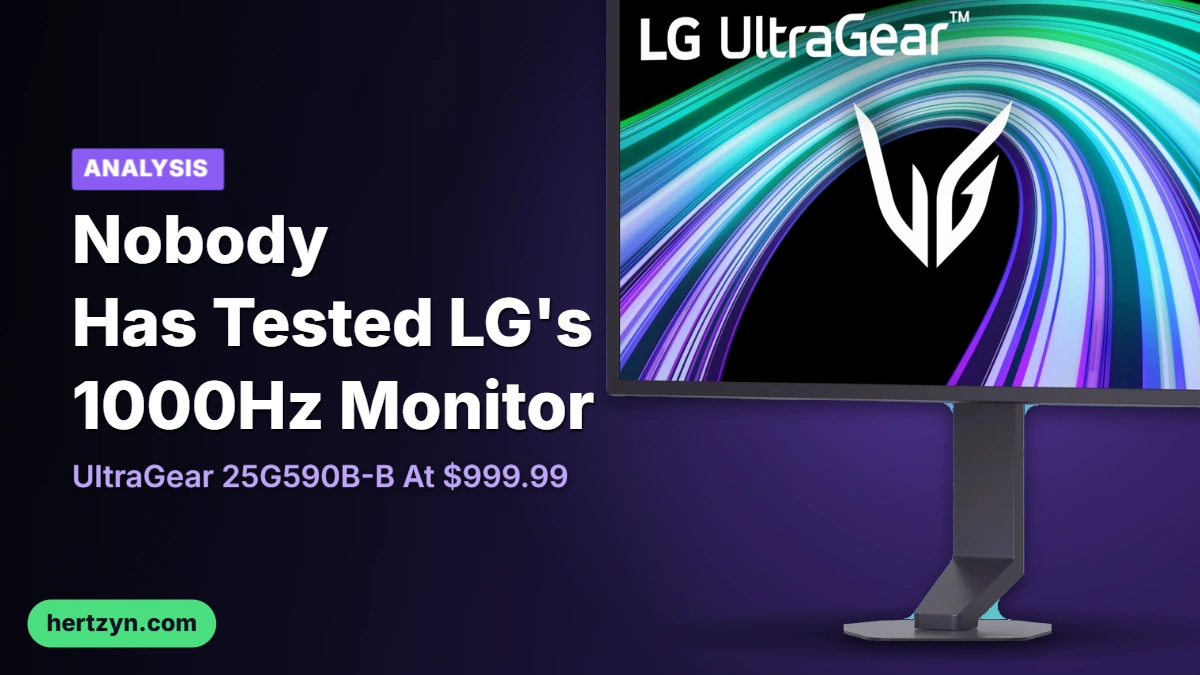
LG is calling the UltraGear 25G590B the first monitor to hit 1000Hz natively at 1080p, and the word ‘native’ is doing real work in that sentence. Monitors that claimed 1000Hz before this one only got there by dropping resolution well below full HD; LG is running the full 1920×1080 panel at that refresh rate without the trick. LG is pitching it squarely at first-person shooters and competitive esports, where every extra frame is meant to matter.
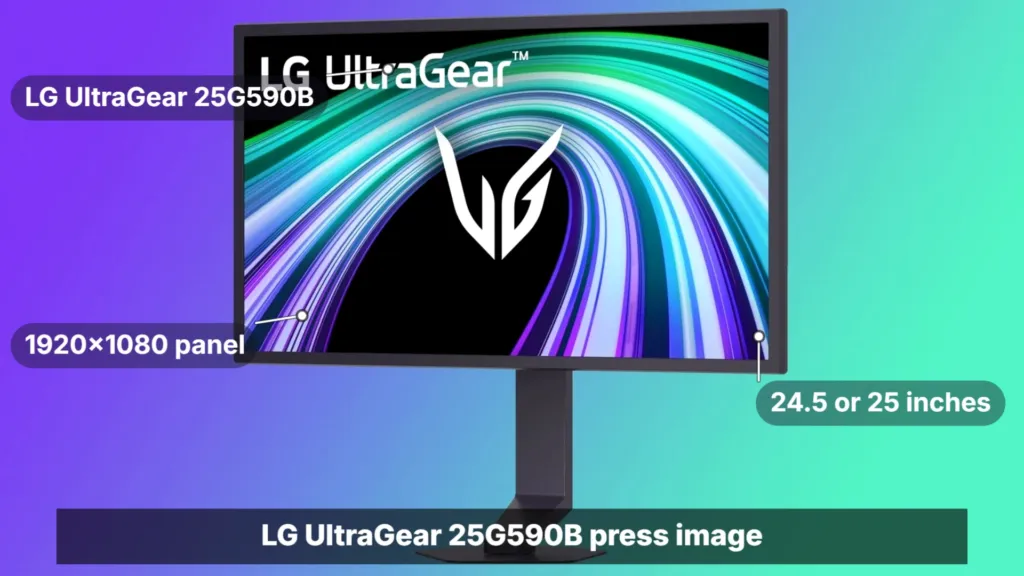
Two different screen sizes are showing up in coverage of the same panel: Tom’s Hardware lists it at 24.5 inches, while TweakTown and the Blur Busters forum thread both call it 25 inches. The likely explanation is the model name rounding up from a measured diagonal, but nobody has confirmed that, so both numbers stand as reported.
| Model | LG UltraGear 25G590B |
| Retail model name | 25G590B-B |
| Panel type | IPS |
| Screen size | 24.5-inch (Tom’s Hardware) / 25-inch (TweakTown) |
| Resolution | 1920×1080 |
| Native refresh rate | 1000Hz |
| Overclocked refresh rate | 1100Hz |
| Response time | 1ms GTG |
| Colour coverage | up to 99% sRGB |
| HDR | VESA DisplayHDR 400 |
| Adaptive sync | NVIDIA G-SYNC and AMD FreeSync Premium |
| Motion tech | Motion Blur Reduction Pro (MBR Pro) |
1000Hz is the panel’s own rating, not an overclock, and TweakTown reports there’s another 100Hz sitting on top of that if you push it, taking it to 1100Hz. None of that matters if the pixels can’t keep pace, so LG quotes a 1ms GTG response time alongside it. On top of the raw refresh rate, LG has also fitted Motion Blur Reduction Pro, its own layer aimed at cutting smearing further.
The interesting choice on the spec sheet is the panel type. Monitors at this speed tier have almost always been TN, and TN buys that speed by giving up contrast, black levels and colour accuracy. LG has gone IPS instead, and it’s still quoting up to 99% sRGB coverage and VESA DisplayHDR 400 certification, which means the refresh rate isn’t costing you colour the way it used to on the fastest panels.
Variable refresh works either way you’re built: the panel supports both NVIDIA G-SYNC and AMD FreeSync Premium. LG has also put a low-reflection film over the IPS panel to cut glare, and says the same film helps keep colour reproduction consistent.
- AI Scene Optimization: adjusts picture settings automatically based on game genre, which LG says adds visual realism and depth
- AI Sound: delivers spatial audio through compatible headsets, which LG says is meant to make in-game voice comms clearer
- Calibration marks on the stand for height, swivel and tilt, so a saved setup can be repeated exactly on a different desk or machine
- A small base footprint, freeing up desk space
- Adjustable RGB lighting on the back of the monitor
- A minimal front design, kept plain by LG to avoid distraction during play
One thing the press images turned up that LG’s own spec sheet doesn’t mention: on the Blur Busters forum, Discorz noticed the bezels look thicker than usual, closer to what Zowie runs on its monitors. Discorz’s guess is that the extra depth could be housing custom backlighting behind Motion Blur Reduction Pro, which Discorz flagged as a new addition to LG’s lineup. It’s an observation and a guess, not a confirmed spec.
Price and Ship Date
LG has set the UltraGear 25G590B-B at $999.99, with US pre-orders open now and units shipping in September. A grand gets you 25 inches of Full HD IPS, nothing more on the resolution or size front, which is why TweakTown landed on calling it a dollar per frame. That framing is the honest one: you’re not paying for panel size or pixel density, you’re paying for the refresh number and whatever comes with driving it.
None of this pricing was on the table when LG first announced the monitor. At announcement, LG committed only to a launch window of second half of 2026 and said pricing would come closer to launch. That’s a long stretch for a monitor like this to sit unpriced, which left plenty of room for people to guess high or low before the actual number showed up.
The number finally arrived at pre-order, and it landed inside the window LG promised: US buyers can order now for September shipping. One thing worth flagging for anyone searching retail listings is the name doesn’t match the announcement exactly. LG announced it as the UltraGear 25G590B; the box on shelves and the listing you’ll actually buy from carries the fuller UltraGear 25G590B-B.
| Stage | What LG said |
|---|---|
| Announcement | Launch in the second half of 2026, pricing to come later |
| Pre-order | $999.99, US pre-orders open, September shipping |
| Name on retail listings | UltraGear 25G590B-B |
Whether $999.99 reads as steep depends entirely on what else you’re pricing at the same time. Some buyers aren’t measuring this against other monitors at all, they’re measuring it against what the rest of a build costs them right now.
I mean we cant complain about monitor prices. Thats like top of the line for only a grand meanwhile cheap ram will cost just as much rn
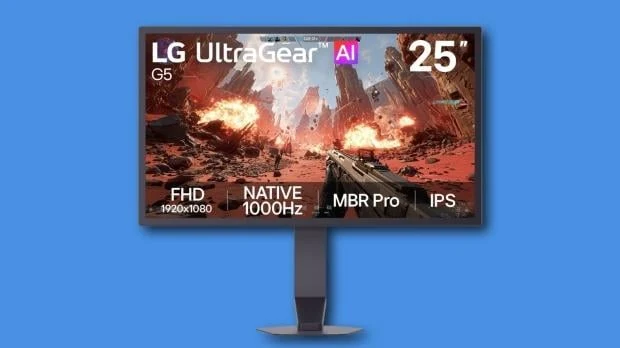
Ports on the Back, and the One That Matters
Plug in wrong and you never see the number on the box. The 25G590B-B carries a DisplayPort 2.1 input running UHBR 20, two HDMI 2.1 ports, and a USB-C port, and only one of those four connections gets you to 1000Hz. The HDMI 2.1 pair and the USB-C port will drive the panel fine at lower refresh rates, but the headline figure lives on DisplayPort 2.1 alone. Anyone plugging in through HDMI because that’s the cable already in the drawer is buying a very expensive way to not run this monitor at its native spec.
| DisplayPort | DisplayPort 2.1 (UHBR 20) |
| HDMI | Dual HDMI 2.1 |
| USB-C | Yes |
| UHBR20 maximum payload | 77.37 Gbps |
| Native refresh rate | 1000Hz |
| Resolution | 1920×1080 |
UHBR20, the fastest mode DisplayPort 2.1 defines, tops out at 77.37 Gbps of payload according to KTC’s read of the VESA spec, and 1080p at 1000Hz in 8-bit colour is already sitting close to that number. There’s not a lot of room left over. Push the resolution up, or push the colour depth up, and you’re into Display Stream Compression or a lower refresh mode to make the math work, because the pipe itself doesn’t have the slack to carry more of either.
The GPU Gate
Running 1kHz means owning a GPU with a DisplayPort 2.1 output, and per kyube on the Blur Busters forum, that shortlist right now is Nvidia’s Blackwell generation or AMD’s RDNA3 and RDNA4 cards. Everything older will still light this monitor up, just not anywhere near the number on the box.
The port and the card are the same decision. Because the 1000Hz path runs through DisplayPort 2.1 at UHBR 20 specifically, the generation of graphics card sitting in the case decides whether that number is even on the table before a single game gets launched. kyube’s list is Blackwell on the Nvidia side, RDNA3 or RDNA4 on AMD’s; buy the monitor without one of those and you’ve bought a 1080p panel that happens to top out lower than advertised.
First Pursuit Camera Evidence, From Blur Busters
The only motion evidence anyone has posted for the 25G590B sits in a single forum thread on Blur Busters, up since August. A member there ran a pursuit camera at 2000 px/s with a 1/320 shutter and posted the result, and the forum’s kyube looked at it and reported no trailing next to earlier IPS displays. That’s one shot, from one person, using gear nobody else has cross-checked – not a lab suite, not a repeatable test.
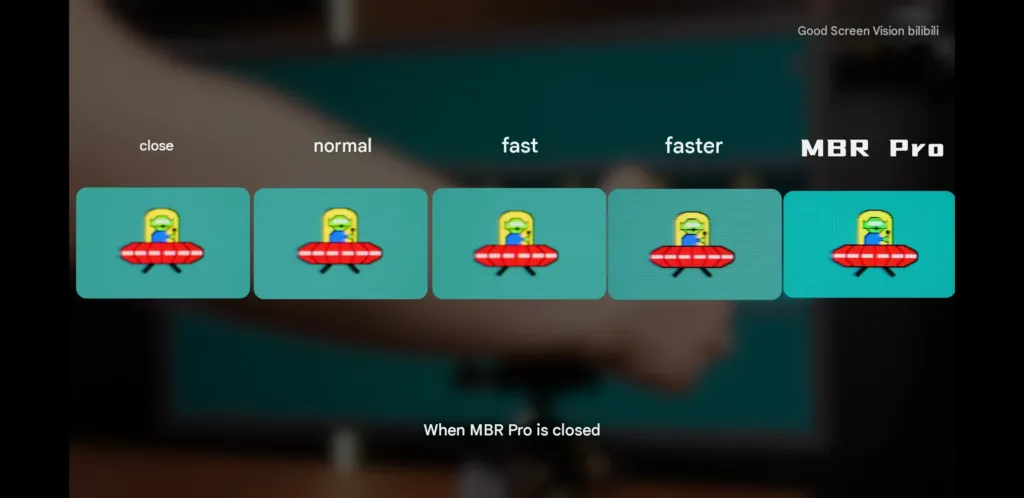
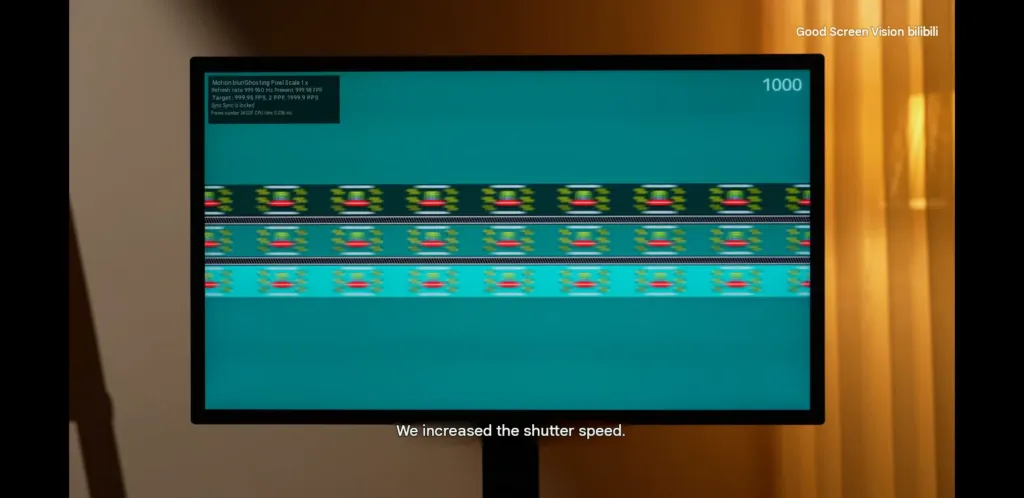
Reaction in the thread ran the same direction. lumi2007 said they didn’t expect this little ghosting out of an IPS panel, and kyube called the result impressive for IPS running at 2000 px/s. Both are reading the same photo everyone else can look at, not a set of measurements either of them took themselves.
What 1000Hz Has to Deliver on Pixels
Blur Busters treats 1ms of persistence as the point where motion blur effectively disappears, and a 1000Hz panel gets there by definition: each frame holds for exactly one millisecond before the next one replaces it. Nobody has to strobe the backlight to hit that number, which matters because strobing is the method that’s been costing people brightness for years.
- Pixel response has to clear well under 1ms GtG or the 1ms persistence figure buys nothing
- A panel that can’t finish a transition before the next frame lands is just showing the old frame smeared into the new one
- Early ultra-high-refresh panels ran into exactly this and smeared in fast-motion testing
- Overdrive tuned to keep up at 1000Hz overshoots as soon as the frame rate drops below it
| Refresh rate | Persistence (hold time) |
|---|---|
| 540Hz | ~1.85ms |
| 1000Hz | 1.0ms |
Strobing the backlight is the older route to short persistence, and it works – but it comes at a cost measured in lost brightness and a flicker some players feel directly. 1000Hz gets to 1.0ms without touching the backlight at all.
Strobing is good in theory but in practice still has many downsides including the big ones being eye strain and headaches from extended sessions from the flickering so a lot of pros turn it off to be more consistent.
Does VRR Still Matter at 1000Hz
The same thread that produced the pursuit camera shot has spent far more time on a question nobody has answered with a test. RealNC frames it as a single question: does hitting 1000Hz make VRR redundant, full stop? He calls that the only test worth running on this panel, and he says so expecting nobody to actually run it.
Discorz takes a step back from the redundancy question and agrees with half of it: the need for VRR does shrink as the refresh rate climbs. He stops well short of saying it disappears, though, calling VRR the more consistent option even at the top end, because VRR flicker is a real problem in its own right and not a rounding error. What he’s really describing is a personal threshold rather than a technical cutoff, since some players already turn VRR off at 240Hz or 360Hz and get along fine. He says he isn’t one of them.
- peppermintie_ switched back to an IPS panel specifically because VRR flicker on their previous display bothered them that much
- They then ran without VRR for a while to sidestep the flicker entirely
- That trade came with judder and tearing they hadn’t signed up for
- They’re asking, like RealNC, for someone to actually test VRR off at 1000Hz rather than argue about it
The mechanical case for keeping VRR on comes from KTC, and it’s the part of the thread that isn’t opinion. VRR exists to patch the mismatch between how fast frames arrive and how fast the panel refreshes, and on a 1000Hz screen that mismatch doesn’t close just because the ceiling moved up. Feed the panel a frame rate far below 1000fps, which is where almost every game will sit, and KTC says you get stutter, plus overdrive artifacts when the frames fall short of what the refresh cycle expects.
What Can Actually Feed 1000Hz
Sixteen thousand games went into kyube’s count, spanning releases from 2000 to 2026, and roughly 400 of them clear 500FPS on any hardware, not just the top end. The list of games that push past that into 1000 FPS territory is a much smaller slice of the 400, not the 400 itself. Most of the 16k sample hasn’t been run through the test at all, so both numbers are floors rather than final counts, and either could move as more of the library gets checked.
TweakTown puts a number on what it takes to get near that ceiling: a Ryzen 7 9800X3D class CPU paired with an RTX 5080 or RTX 5090, and even then the only title TweakTown names as capable of getting there is Counter-Strike 2. That’s the bill before frame generation enters the conversation at all, and it rules out anyone running last-gen silicon or a mid-range card from ever seeing four figures natively, in anything.
| CPU | Ryzen 7 9800X3D |
| GPU | GeForce RTX 5080 or RTX 5090 |
| Named title that can get there | Counter-Strike 2 |
| Overwatch frame limit | 600 FPS |
The cap you can’t buy around
Overwatch hard-caps at 600 FPS regardless of what’s under the hood, which leaves 400Hz of the 25G590B-B’s range with nothing to display. No CPU upgrade or GPU swap changes that number, because the ceiling is set in the game’s code, not in anyone’s rig.
KTC’s read lines up with that math: holding 1000fps for real isn’t realistic outside lightweight esports titles, and the games that fall well short of that number don’t just look less smooth, they can stutter. A panel built around a number most games can’t touch doesn’t sit idle gracefully, it exposes the gap.
Frame Generation as the Workaround
kyube’s answer to the shortfall is frame generation: LSFG or NVIDIA Smooth Motion can take a game already running near 500FPS and push the output to 1k. lumi2007 went further in the same thread, floating a dual-GPU LSFG setup as the only realistic route to filling the panel, and asking outright whether any game reaches 1000 FPS on its own without that help.
Not everyone watching this is convinced the frame counts mean what they’re presented as meaning. One commenter’s skepticism goes past the software workarounds and questions whether the raw numbers themselves are real at all.
I don’t think there is a single thing that render/run at 700FPS only the windows cursor on desktop
1000Hz Measured Against 540Hz
KTC puts a number on what the jump buys: hold time falls from about 1.85ms at 540Hz to 1.0ms at 1000Hz, roughly halved. What it costs sits on the other side of the same table. 540Hz already asks for a modern high-end GPU, and 1000Hz moves that ask up to a flagship GPU paired with a top-tier CPU, not one or the other.
| Feature | 540Hz | 1000Hz | |
|---|---|---|---|
| Persistence (hold time) | ~1.85ms | 1.0ms | |
| Hardware demand | High (modern high-end GPUs) | Extreme (flagship GPUs + top-tier CPUs) | |
| Perceptual gain | Significant over 240Hz | Subtle; targets analog smoothness | |
| Typical use case | Competitive ranked / semi-pro | Professional esports / tech enthusiasts |
The other half of KTC’s table isn’t a measurement, it’s a judgement, and it’s the more useful half. 540Hz over 240Hz was a real, significant perceptual gain. 1000Hz over 540Hz is subtle, chasing what KTC calls analog smoothness rather than a step you’d swear you felt. That split in magnitude is why the two sit with different buyers: 540Hz for competitive ranked and semi-pro play, 1000Hz for pro esports and the enthusiasts chasing the last percent.
The reason the gain keeps shrinking is that the whole ladder runs logarithmic, not linear. KTC’s position on where that leaves 1000Hz is blunt: the jump from 60Hz to 120Hz is more noticeable on its own than the entire span from 240Hz to 1000Hz combined. Read that against the marketing and 1000Hz sits at the small end of the ladder, not the big one.
Decision relevance by refresh-rate step (KTC)
One artifact 540Hz hasn’t put away is phantom array stepping, where a fast object tracked against a high-contrast background shows up as discrete steps instead of a smooth blur. KTC scores 1000Hz’s fix for that at 3.0 on decision relevance, and reckons it works better on screens above 27 inches, where the gap between steps is physically wider. The 25G590B-B is 24.5 inches, which is the size range where that particular fix matters least.
None of this is about reacting faster. What 1000Hz buys, by KTC’s account, is less visual noise on screen and less cognitive load on whoever’s tracking a target across it for hours at a stretch. That’s a stamina argument, not a reflex one, and it’s a harder thing to put a benchmark number on.
Not everyone agrees the ceiling sits where KTC puts it. One commenter draws the line much lower, at 180 to 240Hz, and says anything past that needs equipment most people don’t own to even register.
Anything past 180/240 hertz is unrecognizable without a slow motion camera
1000Hz LCD Against 480-540Hz OLED
Refresh rate and pixel response are not the same number, and KTC’s comparison rests on that gap. A 480-540Hz OLED runs at roughly half the 25G590B-B’s refresh rate, yet KTC says it often shows cleaner motion in actual play, because an OLED pixel changes state close to instantly while an LCD pixel has to physically shift. LG can push 1000 refreshes a second all it wants; if the pixel underneath is still catching up between them, the extra refreshes are showing the same stale image twice.
LG picked IPS for this panel to get vibrant, accurate colour, and quotes 1ms GTG on the spec sheet. KTC’s objection isn’t that the number is wrong, it’s that 1ms is an average, and no IPS panel on the market clears every grey-to-grey transition inside a millisecond. At 1000Hz, a millisecond is the entire frame. Any transition that runs long doesn’t just look slightly soft, it eats the whole budget the refresh rate was supposed to buy back.
| LG UltraGear 25G590B-B | 480-540Hz OLED | |
|---|---|---|
| Panel type | IPS | OLED |
| Response time | 1ms GTG | Near-instant pixel response |
| Colour | Up to 99% sRGB | Perfect blacks and contrast |
| Refresh rate | 1000Hz native, 1100Hz overclocked | 480-540Hz |
| Price | $999.99 | Not stated |
Screen size changes the math too. KTC says the stroboscopic stepping that ultra-high refresh rates exist to smooth over shows up most on 27 to 32-inch screens, where the eye has more distance to track motion across, and matters least on 24-inch panels, where that distance barely exists. LG has landed the 25G590B-B right at 25 inches, closer to the size where the whole feature has the least to prove.
KTC’s Own Buying Advice
KTC’s own advice to anyone on 240Hz or 360Hz today is to move to a 540Hz panel or a good OLED next, not to jump straight to 1000Hz. KTC calls that the better balance of cost and performance, and it’s worth noting KTC builds and sells high-refresh monitors itself, which makes a recommendation to skip the top of its own category harder to wave off.
Living With a Single-Purpose Panel
The trade LG is asking for at $999.99 already has owners talking about it in public, just on a different brand. One Zowie owner on Reddit lays out the exact exchange: best-in-class motion clarity, at the cost of 1440p resolution and the perfect blacks an OLED would give you, with lower resolution also meaning distant enemies are harder to spot.
Zowie will most likely give you the best motion clarity BUT you are missing 1440p, more pixels means its easier to see enemies across larger distances, you are missing oleds perfect blacks and contrast for warching stuff or getting immersed into singleplayer games
A second owner took that trade further and then reversed it. They bought a Zowie XL2566x+, rate it among the best monitors out there for CS2 motion blur specifically, and returned it anyway, because it was poor in non-competitive games and even in YouTube. They replaced it with a Samsung G60SF, an OLED, and say the motion blur is very similar.
Just returned XL2566x+, it is one of the best monitors for cs2 (motion blur) but it sucks in every other non competitive game, even in YouTube, so went for Samsung G60SF and it is absoute beast, motion blur is very similar
The Monitors That Hit 1000Hz First
Four figures on a spec sheet isn’t the same claim twice, and LG knows it. The 25G590B isn’t the first monitor to post a 1000Hz number; it’s the first to post that number at the resolution the panel actually runs. Every earlier claimant got there by cutting the picture down first, which is exactly the qualifier LG built its marketing around.
Acer showed its version at CES earlier this year. The Predator XB273U F6 is a 27-inch 1440p IPS panel that runs natively at 500Hz, and it only touches 1000Hz through Dynamic Frequency and Resolution mode, which drops the picture to 1,280 x 720 to get there. Take the mode away and the monitor is a 500Hz display, not a 1000Hz one.
HKC ran the same play a year earlier with the AntGamer ANT275PQ MAX, a fast TN panel that’s native at 1440p and only reaches its headline number at 720p. That number is 1,080Hz, higher than either LG or Acer’s figure, but it’s built on the same trade: give up most of the resolution and the refresh rate climbs past what the full panel could ever hold.
| Monitor | Panel | Native resolution | Native refresh | Peak refresh | Resolution at peak |
|---|---|---|---|---|---|
| LG UltraGear 25G590B | IPS | 1920×1080 | 1000Hz | 1100Hz (overclocked) | 1920×1080 |
| Acer Predator XB273U F6 | IPS | 1440p | 500Hz | 1000Hz | 1,280 x 720 |
| HKC AntGamer ANT275PQ MAX | TN | 1440p | — | 1,080Hz | 720p |
‘World’s first’ isn’t even settled between LG and its rivals. Philips is making the identical claim for the ENVIA 27M25500XD, a fact TweakTown flagged directly, which is why LG’s own wording never just says first — it says native, and it says 1080p, stacking qualifiers until the claim only fits one monitor.
None of this is a shortcut manufacturers chose for effect. Uncompressed 4K at 1000Hz simply doesn’t fit inside what DisplayPort 2.1 can carry, so every maker chasing four figures has landed on the same workaround: a dual-mode design that drops resolution, and often colour depth along with it, the moment you flip into the fast setting. Lower resolution means less data, and less data is what keeps the signal inside the standard’s limits.
KTC sells the trade-off directly in its own range. The H27P6, a 27-inch 90W gaming monitor, toggles between 4K at 160Hz and a stripped-down mode at 320Hz, and you pick one or the other before you sit down to play, not both at once.
None of this has stopped people from looking past the current crop toward the next release. In the same threads discussing the 25G590B, readers are already pointing at a 24-inch ASUS panel expected later this year, one more entry in a race that hasn’t slowed down long enough for any of these monitors to settle in.
Wait for asus 720hz 24in coming out later this year for the Shanghai major.
The Money Against the Proof
TweakTown lists the 25G590B-B at $999.99, and what that buys is a 25-inch panel running 1920×1080, nothing more on size or resolution than a monitor a third the price would give you. Set against that number is the entire body of independent testing anyone outside LG can currently point to: one forum poster’s pursuit shot, posted once, in one thread. That’s not an accusation, it’s just where things stand a month before shipping.
KTC, a rival panel maker with reason to want the category to look good, still sets the bar for this monitor at 800 to 1000 FPS in whatever game you actually play. Below that line, KTC’s own position is that 1000Hz is a specialised esports instrument rather than a monitor most people should be shopping for.
- General gamer playing a mix of AAA titles and shooters: KTC points you at 144Hz-240Hz, not 1000Hz
- Mixed play budget: KTC says spend it on a stronger GPU rather than the panel
- Ranked competitive players: KTC says cut system latency first, before chasing refresh rate
- Only the player already holding 800-1000 FPS in their main game gets told to buy
What 1000Hz Doesn’t Do
1000Hz will not improve your K/D ratio. The advantage on offer is visual ergonomics, less noise on the screen while you’re tracking a target, not a faster trigger finger. Anybody buying this expecting a straight line to more kills has read the spec sheet and missed the point of it.
This is the same math PC builders already run when they pick a resolution against what their GPU can actually hold, just moved up to a refresh rate instead of a pixel count. Somebody working through that exact tradeoff for a different panel put it plainly:
I wouldnt go for 4k on a 4070, QHD would give you a better balance between picture quality and frames to actually get a use out of the 200+Hz.