
Key Takeaways
- 1The 24G11ZE’s 240Hz is an overclock on a 200Hz native panel, confirm your system holds the overclock before buying on that number.
- 2At 23.8 inches and 1920×1080, the 24G11ZE works out to 92.56 PPI, noticeably softer up close than a sharper panel of the same size.
- 3AOC never prints a price for the 24G11ZE anywhere on its own page, so none of its specs can be checked against value until a retailer lists one.
- 4The 1000:1 static contrast and 300 cd/m² typical brightness on the 24G11ZE mean its HDR10 badge only signals decode capability; the panel lacks the headroom to show a visibly different HDR picture.
- 5AOC’s own page disagrees with itself: 0.3ms versus 1 ms GtG, and DCI-P3 at 94% under CIE1976 versus 92.4% under CIE 1931, so take every AOC figure as a range rather than a fact.
- 6Samsung’s 79.7% share of Q4 2023 OLED panel sales means most QD-OLED monitors across 10 different brand badges are built on the same glass.
- 7If you want a QD-OLED today, know that owner reports on burn-in split cleanly, one saw none after a year of worry, another got a line in under 12 months with every protection setting on.
- 8TrendForce’s forecast puts 2025 QD-OLED shipments at 2,350,000 units, a 75% jump over 2024, which is the volume Wccftech’s falling-price call depends on.
- 9Acer’s Predator already sells a 500Hz OLED panel at $499, undercutting every other 500Hz OLED on the market, so the price drop isn’t purely theoretical anymore.
- 10Fourth-gen QD-OLED has no fixed date, one forum estimate ranges from a few weeks out to 2027, so buying a current panel beats waiting on a number nobody can confirm.
AOC 24G11ZE: Fast IPS and Two Refresh Numbers
AOC’s 24G11ZE packs a 23.8-inch flat Fast IPS panel into a 1920×1080, 16:9 frame, lit by a WLED backlight behind a 0.2745mm pixel pitch. Work that pitch out per inch and you land at 92.56 PPI, which is on the low side for a desktop screen this size: stretch 1080p over 23.8 inches and text and fine detail soften compared to a sharper panel at the same size. Viewing angles are rated 178/178 at CR10, so the IPS half of ‘Fast IPS’ is doing its usual job of keeping color and contrast stable off-axis.
| Screen size (inch) | 23.8 |
| Panel type | Fast IPS |
| Panel resolution | 1920×1080 |
| Aspect ratio | 16:9 |
| Flat / Curved | Flat |
| Pixel Pitch (mm) | 0.2745 |
| Pixels per Inch | 92.56 |
| Backlight type | WLED |
| Max Refresh rate | 240Hz (OC, Native 200Hz) |
| Response time GtG (typical) | 1 ms |
| Response time MPRT | 0.3 ms |
| Viewing angle (CR10) | 178/178 |
| Sync technology (VRR) | Adaptive Sync |
AOC’s own spec table reads 240Hz (OC, Native 200Hz), and that parenthetical is the whole story: the panel’s native refresh rate is 200Hz, and 240Hz is an overclocked mode sitting on top of it. The marketing copy never says otherwise outright, it just never leads with the native number either. AOC titles one feature block ‘240Hz (OC 200 Native)’ and runs 240Hz across the rest of the page, so the figure on the front of the box is the ceiling you reach with the overclock engaged, not what the panel does the moment you plug it in.
Read the fine print on the Hz number
240Hz on the 24G11ZE isn’t the panel’s native speed. Out of the box it runs at 200Hz; 240Hz is an overclocked mode you turn on, and whether it holds depends on your setup.

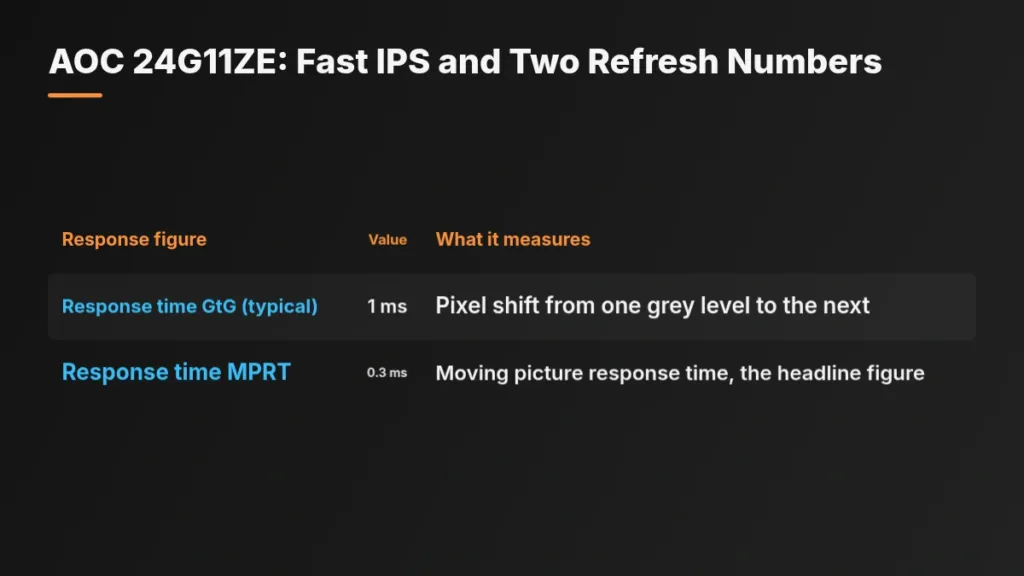
The spec table also carries two response-time figures, and they’re measuring different things. The 1ms grey-to-grey number is AOC’s own definition: the time a pixel takes to shift between grey levels, which is the figure that tracks actual pixel transitions. The 0.3ms number that shows up alongside 240Hz in the headline is MPRT, moving picture response time, which describes how long a moving image appears to blur rather than how fast the pixel itself moves. Marketing copy tends to run these together; the spec table keeps them separate, and a buyer comparing monitors should too.
| Response figure | Value | What it measures |
|---|---|---|
| Response time GtG (typical) | 1 ms | Pixel shift from one grey level to the next |
| Response time MPRT | 0.3 ms | Moving picture response time, the headline figure |
The 24G11ZE supports Adaptive Sync, which AOC describes as matching the monitor’s refresh rate to the GPU’s frame rate to remove stuttering, tearing and judder. That matters more on this panel than on one with a single honest refresh number, because if the 240Hz overclocked mode doesn’t hold steady on a given system, Adaptive Sync is what keeps the image clean at whatever rate the GPU actually delivers instead.
AOC’s case for staying at 1920×1080 is a practical one: the company pitches Full HD as not needing a high-end graphics card and not consuming much system resource, which is the honest argument for a 1080p panel chasing 200Hz or higher. A lighter resolution is what makes those frame rates reachable without expensive hardware. The price for that is the 92.56 PPI worked out above, a screen that’s fast to drive but visibly softer up close than a sharper panel at the same size.
Brightness, Contrast and the HDR10 Claim
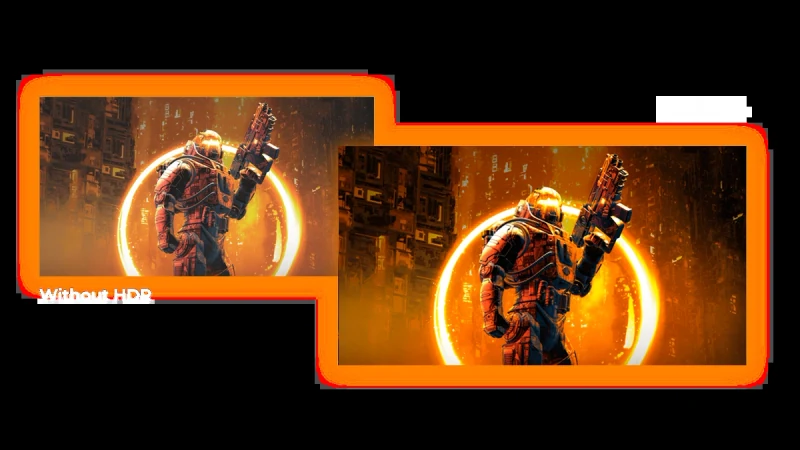
AOC rates the 24G11ZE at 300 cd/m² typical brightness with a static contrast ratio of 1000:1, numbers that sit squarely in standard IPS territory and nothing a Fast IPS panel at this price wouldn’t be expected to hit. The spec sheet also prints an 80M:1 dynamic contrast figure, and that’s a different kind of measurement from the 1000:1 static number, not a bigger version of it: dynamic contrast describes how far the backlight can swing between a bright scene and a dark one, while static contrast describes what the panel itself can hold within a single frame. HDR10 sits on top of that 300-nit panel as a badge, and HDR10 as a format assumes brightness and contrast a 300-nit, 1000:1 IPS screen doesn’t have the headroom to deliver; the label means the monitor can decode an HDR10 signal, and watching one on it looks the same as watching SDR.
| Brightness in nits (typical) | 300 cd/m² |
| Static contrast ratio (typical) | 1000:1 |
| Dynamic contrast ratio | 80M:1 |
| Display colours | 16.7M (8bits) |
| HDR (High Dynamic Range) | HDR 10 |
| Colour space (sRGB) CIE 1931 % | 127.35 |
| Colour space (DCI-P3) CIE 1931 % | 92.4 |
| Colour space (Adobe RGB) CIE 1976 % | 91.11 |
| Color Accuracy | E<2 |
| Flicker-Free | Flicker Free |
| Blue Light Technology | Low Blue Mode |
The gamut row tells the same kind of story. AOC gives sRGB coverage at 127.35% and DCI-P3 at 92.4%, both measured under the CIE 1931 standard, then quotes Adobe RGB at 91.11% under CIE 1976. CIE 1931 and CIE 1976 map color space differently, so setting a 1931 figure next to a 1976 figure on the same row invites a comparison the numbers themselves don’t support; a reader lining up 127.35%, 92.4% and 91.11% as if they were the same kind of measurement is comparing three things measured two different ways. Color accuracy is quoted at E<2, and the panel runs 16.7M colours at 8 bits, which is what it is, not a 10-bit panel presenting itself as more.
Two DCI-P3 numbers, one page
AOC’s own product page quotes DCI-P3 coverage twice, and the two figures don’t agree: the feature blurb claims 94% under CIE1976, while the spec table further down gives 92.4% under CIE 1931. Neither number is wrong so much as they’re not measuring the same thing, and the page compounds it by also giving sRGB as 127% under CIE1931 in that same feature copy. A buyer trying to pin down what this panel’s DCI-P3 coverage actually is has to pick a standard before either figure means anything on its own.
AOC lists the 24G11ZE as Flicker Free, and that claim rests on a specific mechanism rather than a marketing word: the backlight runs on DC dimming instead of PWM, so the light output doesn’t pulse at a frequency some eyes notice over a long session. Low Blue Mode sits alongside it as a separate picture preset, shifting color temperature down rather than changing anything about how the backlight itself is driven.
Typical means a tolerance, not a measurement
Every figure on this page, brightness, contrast, gamut, color accuracy, is AOC’s own typical spec, and typical is a manufacturing tolerance rather than a number off a test bench. No independent reviewer has put this specific panel through its own measurement here, which means an individual 24G11ZE can land either side of that 300 cd/m² and still ship as spec.
Ports, Stand, Power and the Box
One HDMI 2.0 port and one DisplayPort 1.4 port are the whole video input list on the 24G11ZE, which settles the connectivity question before anyone opens the box: a PC on DisplayPort and a console on HDMI fills both inputs, and a third source means unplugging one of them. HDCP 1.4/2.2 is supported through either port, so protected streaming works whichever cable carries the signal. Audio leaves only through the 3.5mm headphone jack, and there’s no USB hub listed anywhere in the spec, so this isn’t a monitor that doubles as a dock.
| HDMI | HDMI 2.0 x 1 |
| DisplayPort | DisplayPort 1.4 x 1 |
| Digital HDCP (HDMI version) | HDCP 1.4/2.2 |
| DP HDCP version | HDCP 1.4/2.2 |
| Audio Output | Headphone out (3.5mm) |
| Tilt | -5°/20° |
| Vesa wallmount | 100×100 |
| Bezel type (front) | 3-sided frameless |
| Cabinet colour (backside) | Black, Red |
| Product dimensions incl. base (WxHxD) mm | 539.7 x 420.5 x 193.9 |
| Net weight excl. package (in kg) | 3.3 |
| Product without stand (kg) | 2.93 |
| Power supply | External |
| Power source | 12VDC, 2.5A |
| Power consumption on (typical) in watts | 30.0 |
| Power consumption standby in watts | 0.3 |
| Energy class | E |
| Warranty period | 3 years |
| Operation System | Windows 10/11, Mac OS |
Tilt from -5° to 20° is the entire ergonomics list, with no height adjustment and no swivel, so getting the panel to eye level on a tall desk means a book under the base or replacing that base entirely. AOC does make that swap possible: the stand comes off, and the panel carries a 100×100 VESA pattern, which is a standard arm mount rather than anything proprietary. A Kensington lock slot is also built in, which matters more in a shared office or a dorm than at a home desk.
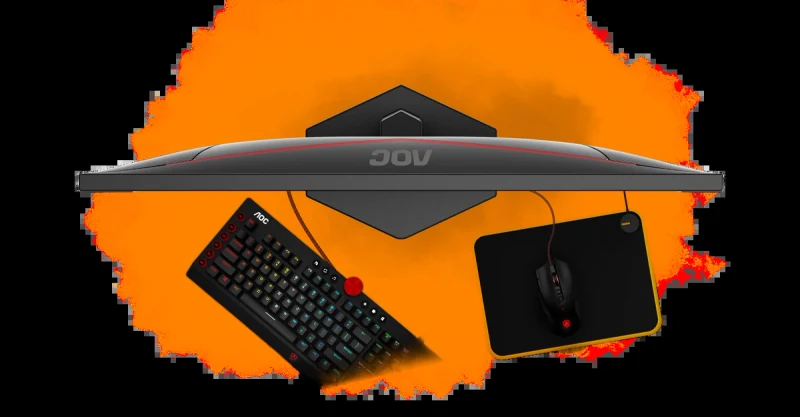
The front bezel is 3-sided frameless, which only pays off once a second 24G11ZE sits beside this one with no frame between the two images. Flip it around and the back is black and red, a styling call nobody but the person behind the desk will ever see. With its base, the monitor measures 539.7 x 420.5 x 193.9 mm and weighs 3.3 kg; strip the stand off for that VESA arm and it drops to 2.93 kg, light enough that almost any arm rated for a 24-inch panel will hold it.
Running this monitor costs almost nothing: 30.0 watts typical while it’s on, 0.3 watts in standby and the same 0.3 watts with it switched off. That sits oddly against an energy class of E, a reminder that the rating grades efficiency rather than raw draw. The power supply itself lives outside the monitor as a 12VDC, 2.5A external brick, which is one more box to find room for on the desk or the floor.
- A 1.5 m DisplayPort cable in the box, the one that actually reaches the 240Hz refresh rate
- A power cable for the external 12VDC, 2.5A brick
- No HDMI cable included, so a console hookup means bringing your own
- A 3-year warranty from AOC
- Driver support listed for Windows 10/11 and Mac OS
AOC’s Gaming OSD: Crosshair, Presets and Picture Tweaks
Dial Point puts a selectable crosshair on the screen, which is AOC’s answer to the one thing a monitor can’t fix in hardware: where your eye lands in a first-person shooter when the in-game reticle gets lost against a busy background. Low Input Lag mode works the other side of the same problem, stripping out the picture processing the panel would otherwise run so a frame gets to your eyes with less of AOC’s own image work sitting between you and it.

- 6 game modes cover FPS, racing and RTS presets, plus one slot you can fill with your own custom setup
- The Settings KeyPad jumps between those six modes with a button press instead of a trip through the menu system
- Shadow Control brightens or sinks dark areas on command, useful for spotting detail in gloom without AOC’s blessing of what ‘correct’ black looks like
- Game Color adjusts grey levels for more picture detail
- Both Shadow Control and Game Color apply live, on top of whatever game mode is already running, without touching the rest of the display settings


None of that menu control reaches the desktop until you go and get it: Gmenu sits on AOC’s product page as its own exe download rather than anything loaded onto the monitor or bundled in the box. AOC lists that Gmenu download with a publish date of 31 July 2026, while the driver package on the same page is dated 19 March 2026, 4 months earlier, so the two files you’d want for a clean setup weren’t even put up together. AOC lists Windows 10/11 and Mac OS support for the software, so the OSD options above work from the hardware buttons regardless, but desktop-side control depends on which operating system you’re running and whether you bothered to download anything at all.
Don’t skip the download page
The crosshair, presets and picture tweaks above all live on the monitor and work from its hardware controls with nothing to install. Gmenu, the software that puts that same control on your desktop, ships as a separate Windows exe you have to pull from AOC’s product page yourself, alongside a driver zip listed on that same page. Skip that step during setup and you’re left running everything through the monitor’s own buttons.
Samsung’s QD-OLED Supply List: 10 Brands, 25 Models
10 different brand names on 10 different boxes doesn’t mean 10 different panels. Samsung is adding 25 QD-OLED models across 10 brands this round, which takes its total lineup from 90 products on the market last month to 115 now. The top spec on that supply list is 4K at 360Hz, built for gaming rather than office duty. Shop 10 monitor brands for a QD-OLED screen this year and there’s a good chance every one of them is selling the same panel supplier’s work under a different badge.
- Odyssey 32-inch G8 (G80SD), one of Samsung’s own 2 models on the list
- Odyssey 27-inch G6 (G60SD), the smaller of Samsung’s own two
- Dell 32-inch AW3225QF
- Philips 34-inch Evnia 34M2C6500
- MSI MEG 321URX, one of four MSI entries
- MSI MPG 341CQPX, MSI’s second model
- MSI MAG 321UP, MSI’s third
- MSI MAG 271QPX, rounding out MSI’s four
- ASUS 32 type PG32UCDM
- Gigabyte 34 type MO34WQC, closing the named list
| Odyssey 32-inch G8 (G80SD) | Samsung |
| Odyssey 27-inch G6 (G60SD) | Samsung |
| AW3225QF | Dell, 32-inch |
| Evnia 34M2C6500 | Philips, 34-inch |
| MEG 321URX | MSI |
| MPG 341CQPX | MSI |
| MAG 321UP | MSI |
| MAG 271QPX | MSI |
| PG32UCDM | ASUS, 32 type |
| MO34WQC | Gigabyte, 34 type |
Right now Samsung’s QD-OLED panels only come in 4 sizes: 27, 31.5, 34 and 49 inches, and the company wants to widen that lineup in a big way in 2024. Philips only joined the QD-OLED camp last year, and it’s pushed its range out hard since, per ZDNet Korea.
QD-OLED Shipment Volumes and Samsung’s Panel Share
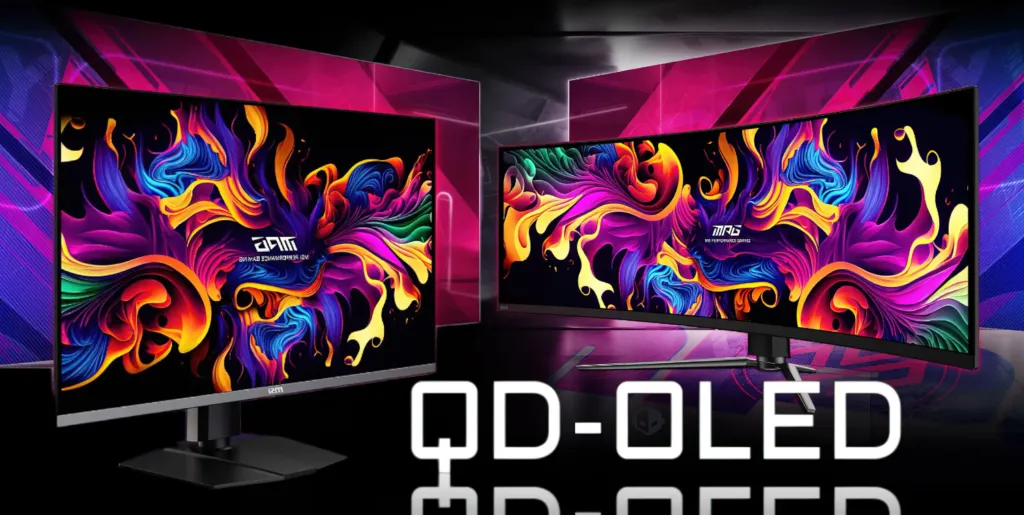
Four out of five OLED panels sold in the fourth quarter of 2023 came from one company. Samsung held 79.7% of OLED panel share that quarter, and it has already shipped more than 1 million QD-OLED monitor panels on the back of that position. Walk into a store and pick 10 QD-OLED monitors off 10 different shelves, under 10 different brand badges, and the odds say most of the glass inside them traces back to the same factory floor. Samsung expects that share to grow again through 2024, which means the badge on the box tells a buyer less about who actually made the panel than it used to.
QD-OLED monitor shipments
TrendForce’s shipment estimates trace the curve underneath those share numbers. Around 200,000 QD-OLED monitors shipped in the first quarter of 2024 alone, and TrendForce’s full-year forecast puts the 2024 total at 1,342,000 units, a 161% rise over 2023. The 2025 forecast climbs further still, to 2,350,000 units, 75% above the 2024 number. That’s a category roughly doubling and then doubling again inside 2 years, and the volume behind it is what eventually moves the price a buyer sees on the shelf.
What rising volume means for price
Wccftech’s expectation is that QD-OLED prices come down as that shipment volume keeps climbing, following the pattern where more panels built means lower cost per unit. With 2025 shipments forecast at 2,350,000 units, anyone deciding between a QD-OLED today and a cheap Fast IPS panel for another year is weighing a known price now against a lower one that isn’t promised on any particular date.
A Cheap Fast IPS Panel Against QD-OLED
QD-OLED’s camp makes its case on speed and color: the panel type beats TN, VA and IPS alike on response time, and Wccftech has called it the new go-to standard for gaming on the strength of that plus a richer picture. Samsung’s QD-OLED lineup backs the claim with hardware, with panels specced as high as 4K at 360Hz.
AOC’s answer isn’t speed for speed’s sake, it’s a number: 1 ms GtG on the 24G11ZE’s Fast IPS panel, the figure AOC puts up against OLED’s response-time lead rather than conceding it. AOC sells Fast IPS on vibrant colors and wide viewing angles instead of contrast, and the pitch underneath both runs on cost: a 1920×1080 panel at 23.8 inches is cheap to build, and AOC says Full HD doesn’t need a high-end graphics card to drive it, so the savings show up twice.
| Spec | AOC 24G11ZE Fast IPS | Samsung QD-OLED |
|---|---|---|
| Top resolution and refresh | 1920×1080 at 240Hz (OC, Native 200Hz) | Up to 4K 360Hz |
| Response time GtG (typical) | 1 ms | Faster than TN, VA and IPS |
| Response time MPRT | 0.3 ms | Not stated |
| Static contrast ratio (typical) | 1000:1 | Not stated |
| Panel type | Fast IPS | QD-OLED |
What a buyer gives up for that price is contrast. The 24G11ZE’s typical static contrast ratio is 1000:1, the figure a Fast IPS panel without per-pixel lighting actually hits, sitting next to a 300 cd/m² typical brightness. AOC’s spec sheet also prints an 80M:1 dynamic contrast figure, and that’s a different measurement taken under different conditions, not a fix for the 1000:1 number right beside it.
Not everyone gets this far into the spec sheet before deciding. Some buyers rule OLED out before response times or contrast ratios enter the conversation at all, on a concern no spec sheet addresses.
No thanks, OLED is a degrading disaster.
What Long-Term QD-OLED Owners Report on Burn-In
Ask 10 people who’ve owned a QD-OLED monitor for a year and you will not get 10 answers that agree. Some find far less damage than they braced for, others watch a line show up inside 12 months, and nothing published settles which camp you’ll end up in. Samsung’s own announcement is no help here: it covers 25 new QD-OLED models, more than 1 million panels shipped, and a 79.7% share of the OLED market as of the fourth quarter of 2023, and it says nothing at all about how long any of those panels are expected to last.
Not every owner’s experience is bad news. One checked their panel after extended use expecting to find burn-in and came away relieved.
That’s a surprisingly little amount of burn-in! I’d been expecting far worse.
Set that against an owner who did everything a protection guide tells you to do. Every OLED protection feature was turned on, no desktop icons, no wallpaper, a 2-minute screen timeout, no HUDs where avoidable and no HDR at all, and a line showed up anyway in under a year.
I can already see a line on my QD-OLED after lees than a year of usage. Not sure how I got it, I had every single OLED protection feature enabled, no desktop icons/wallpaper, 2 min timeout, no HUDs where possible and no HDR. These things are more sensitive than I thought
Part of why owners can’t agree is that they aren’t always looking at the same thing. Image processing can mimic the exact symptom they’re trying to avoid.
The enhancement filter makes it look like the display immediately burns in.

AOC never has to answer any of this for the 24G11ZE, because a Fast IPS panel doesn’t burn in the way an OLED can. AOC sells comfort instead: a DC backlight behind its Flicker-Free marketing, aimed squarely at long gaming sessions, with the pitch that it cuts eye strain and fatigue, backed by a 3-year warranty.
Pros
- Owners report far less QD-OLED burn-in than expected
- Enhancement filters can be mistaken for burn-in, meaning some reported damage may not be real
Cons
- One owner saw a line in under 12 months
- Every OLED protection setting failed to prevent that line
- Samsung publishes no longevity figures for its QD-OLED panels
- AOC’s Fast IPS panel carries no burn-in risk at all
Fourth-Gen QD-OLED and the Wait-or-Buy Call
Wccftech’s case for patience rests on a simple mechanism: prices fall once QD-OLED panels stop being scarce. Samsung is already feeding that mechanism, with all 25 of its new models landing within the year and pushing its lineup to 115 total in the process. More panels on shelves inside 12 months is the supply the forecast is counting on.
That forecast isn’t just theoretical anymore. Acer’s Predator is selling a 500Hz OLED panel right now for $499, undercutting every other 500Hz OLED on the market to date. A shop listing at that price is what the volume story looks like once it shows up in a cart instead of a press release.
A monitor expert on the Technopat forum put a date on fourth-gen QD-OLED and hedged it in the same breath. The advice to hold out comes from someone willing to say the hold could run a few weeks or run well past this year.
A monitor expert on the Technopat forum told me: “4th gen QD-OLED monitors are expected to launch by the end of the year. This could happen in a month, or it might be pushed back to 2027. Those who have the budget and can wait should hold out for the new models
Set against that open-ended wait is a complaint current owners are acting on today. One owner is sending back an AW3926QW over its CPC feature, which dims the sides of the panel, and is looking at the 39gx950 as the replacement rather than waiting for anything newer. The alternative on the table is still a current-gen panel, not a future one.
Returning my AW3926QW today as the CPC “feature” dimming the sides drives me nuts. I’m eyeing this monitor to be easier to drive or the 39gx950 as the replacement.
Not everyone is running the numbers. Some buyers are just buying.
I bought it the other day still waiting on it arriving I’m excited
Pros
- A 500Hz OLED panel is already selling at $499, undercutting every other 500Hz OLED to date
- Samsung’s 25 new models land within the year, taking its lineup to 115 and backing Wccftech’s falling-price forecast with actual supply
- A monitor bought today is a known quantity rather than a forecast
Cons
- Fourth-gen QD-OLED could land this year or slip as far as 2027
- Current panels carry quirks like CPC side dimming severe enough that at least one owner is returning theirs over it
- Waiting trades a known price and panel for a launch window with no fixed date
What Buyers Can Actually Verify
AOC’s page is the only complete spec sheet in this comparison: 23.8 inches, 1920×1080, Fast IPS, 300 cd/m² typical brightness, all printed and checkable against the panel itself. What’s missing is a price, and without one there’s no way to work out whether the 24G11ZE is worth buying at all. A fully specced panel with no number attached to it tells a shopper nothing about value. Wccftech’s QD-OLED list runs the other way: 10 model names, zero measured specs, nothing on that side to check against anything either. Read either list on its own and a buyer ends up no closer to a purchase than when they started.
| What a buyer gets | AOC 24G11ZE page | Wccftech QD-OLED list |
|---|---|---|
| Panel type | Fast IPS | QD-OLED |
| Resolution | 1920×1080 | Not given |
| Max refresh rate | 240Hz (OC, Native 200Hz) | Not given |
| Brightness | 300 cd/m² | Not given |
| Static contrast ratio | 1000:1 | Not given |
| Warranty period | 3 years | Not given |
| Price | Not given | Not given |
| Model names | 24G11ZE | 10 named, 25 total coming |
The one spec sheet detailed enough to check turns out to disagree with itself. AOC’s feature text calls the panel 240Hz (OC, 200 Native) while the spec table prints 240Hz (OC, Native 200Hz), same claim, and worth sitting with: the panel natively does 200Hz, and 240Hz is an overclock on top of that. The headline response time reads 0.3ms, the spec table two rows down says 1 ms GtG, a gap between two numbers on the same page describing the same panel. The gamut claim splits the same way: the feature summary says DCI-P3 94% under CIE1976, the color space row says DCI-P3 92.4% under CIE 1931, 2 different measurement standards producing two different figures on AOC’s own site. More numbers printed doesn’t make a sheet more trustworthy, it just gives the sheet more places to contradict itself.
- Samsung held 79.7% of OLED panel supply as of Q4 2023, and the 25 new QD-OLED models spread across 10 brands are built on that same base.
- The Odyssey 32-inch G8 (G80SD) and the Dell 32-inch AW3225QF sit on this list under 2 different brand names.
- So do the MSI MEG 321URX and the ASUS 32 type PG32UCDM.
- Same again for the Philips 34-inch Evnia 34M2C6500 and the Gigabyte 34 type MO34WQC.
- A month earlier Samsung already had 90 of these products on the market, before this round added the other 25.
- Picking a brand here buys the stand, the OSD and the warranty terms; which Samsung panel generation landed inside a given box is a matter of timing, not of which logo sits on the bezel.
One Supplier, 10 Badges
When one company holds 79.7% of OLED panel supply, shopping 10 QD-OLED monitors across 10 brands is mostly shopping 10 boxes built around the same glass. Comparing brands here means comparing which panel batch and generation shipped into each box, not which company builds a better screen. The badge on the bezel doesn’t buy a different panel underneath it.
Spec reading has a point of diminishing return, and it’s easy to run past it looking for the one more detail that will finally settle a decision. One shopper working through a different category entirely landed on exactly that problem, and it reads like it could have been written about either list above:
Thank you for the detailed message and your experience! I understand that I’m over my head and analyzing too much for each camera.
Pros
- AOC’s 24G11ZE spec sheet gives 1920×1080, Fast IPS, 240Hz OC and a 3-year warranty, more documented detail than the QD-OLED list offers anywhere
- Samsung has shipped over 1 million QD-OLED monitor panels, backed by 79.7% of OLED panel supply as of Q4 2023
Cons
- AOC never states a price for the 24G11ZE anywhere, so none of its specs can be weighed against value
- AOC’s own page contradicts itself on refresh rate and color gamut, undercutting the sheet’s detail
- QD-OLED buyers get 10 model names today and 25 total coming without a single measured spec to compare across them