
Key Takeaways
- 1EVGA’s P2 and T2 are rebadged Super Flower units: the Leadex Platinum and Leadex Titanium. If you can’t find Leadex on a shelf, buying the EVGA badge gets you the same hardware.
- 2be quiet!’s Dark Power Pro 12 is the one unit in its range CWT builds instead of FSP, and it’s rated one of the best PSUs on the market for it.
- 3A Thermaltake sticker tells you nothing about the OEM underneath: the Smart 80+ sits in tier F while the CWT-built TF1 at 1550W is the best thing carrying the name.
- 4Check the warranty length before buying an Antec EA Pro Gold. 7 years means the independently regulated tier A platform; 3 or 4 years means the China-only FSP build rated tier E.
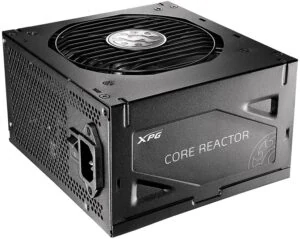
- 5ADATA’s Core Reactor usually turns up as the cheapest unit in tier A, with a heavier cable gauge than rivals at the same price, in 650W, 750W and 850W.
- 6A strictly multi-rail PSU with no single-rail switch can trip on a GPU drawing over 400W or an unlocked Intel i7 or i9, because the per-rail OCP trip point sits lower than the system’s total draw.
- 7An ATX 3 badge doesn’t require a 12VHPWR cable in the box, and the connector’s sideband pins can be shorted to ground inside any cable to unlock the full 600W rating with no actual safety check behind it.
- 8Super Flower’s cheaper Leadex V trips at 100.8% of rated output, far below the 120-140% headroom most high-end units give themselves, so a 1kW Leadex V rides out a spike more like a 750-850W unit from a brand that built in real headroom.
- 9If a PC won’t post, test or swap the power supply before suspecting the motherboard; fans spinning and RGB lighting up only prove some voltage is present, not that it’s stable under load.
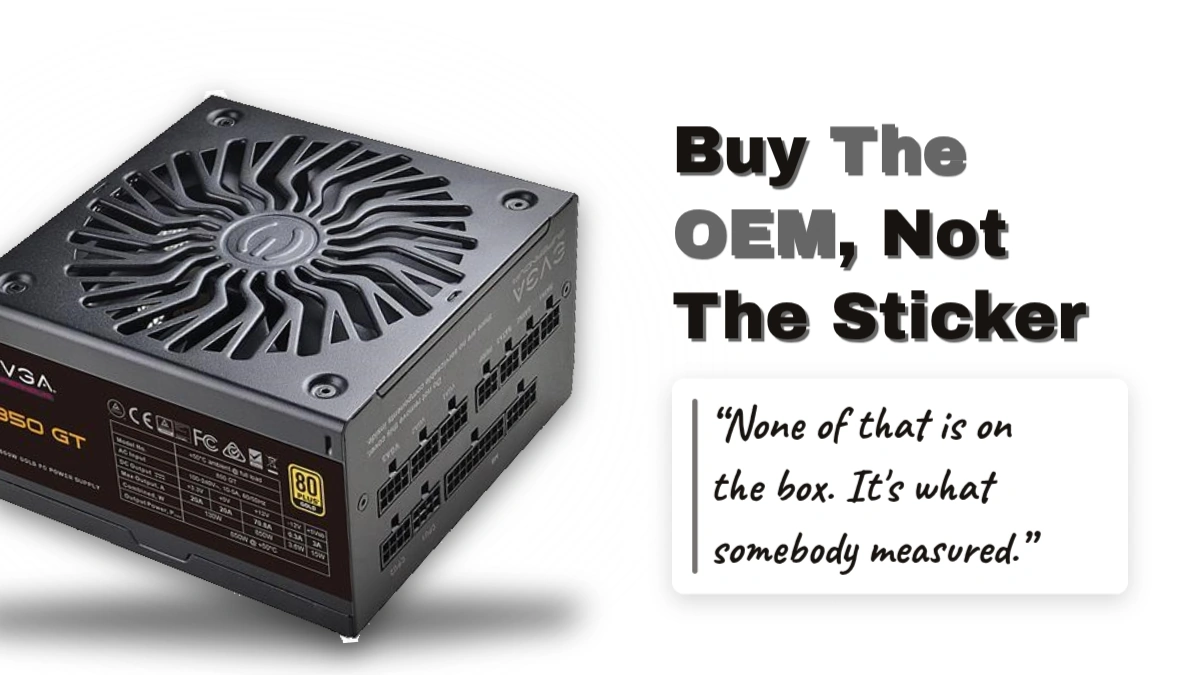
Tier A on the Cultists list isn’t a reputation, it’s a set of bench numbers a unit either clears or doesn’t. Over-temperature protection has to be tested and set to trip below 200°C, and 12V ripple has to stay under 50mV even pushed to 110% overload. Transient response on the 12V rail is capped at 3%, and so is deviation from nominal voltage, which is the difference between a rail that sags under a GPU spike and one that doesn’t move. The fans get their own number too: 30,000 hours MTBF at 40°C, which rules out the cheap sleeve-bearing parts that die first in a hot case. Every capacitor has to carry a 105°C rating, and every hot 12V lead on the GPU and EPS cables has to run at least 18AWG. None of that is on the box. It’s what somebody measured.
| Tier | Protection requirement | 12V ripple limit |
|---|---|---|
| A | OTP tested and set below 200°C | Under 50mV up to 110% overload |
| B | OPP tested; failure drops it to tier C | Below 100mV under 110% overload |
| C | Independent regulation on all rails | Below 100mV under extreme crossload |
| D | OPP claimed only, not tested | Within spec at moderate crossload and 100% load |
Drop a tier and the bar doesn’t just get easier, it starts asking for less proof. Tier B still demands over-power protection be actually tested on the unit in hand, full-range active PFC from 100V to 230V, and continuous operation at 40°C ambient, but fail that OPP test and the unit falls straight to tier C rather than staying put. Tier C only wants 12V ripple below 100mV under extreme crossload, a looser number measured under a harder load than tier A’s. By tier D the requirement has stopped being a test at all: OPP only has to be claimed on the spec sheet, never run on the bench. That’s the real gap between B and D, not the ripple figure but whether anybody checked.
Gold and Blue: What the Highlights Cost
- Gold demands 12V peak-to-peak ripple under 1.5%, a tighter electrical number than the tier itself asks for
- Gold also caps 12V ripple at 30mV including at 110% load, well below tier A’s own 50mV floor
- Blue is a pure noise rating: under 30 dBA at moderate load
- SFX units get 5 dBA of slack for the blue mark, landing at 35 dBA instead of 30
- Moderate load is defined as 500W at 12V for any unit rated 750W or above
- Tier A units at 850W or above face an extra test: under 35 dBA at 70% load
A unit nobody has properly put on a bench doesn’t get the benefit of the doubt. A speculative placement needs at least the primary and secondary topology known before it earns even a subtier guess, and anything missing that lands in tier E, the resting place for units without reliable information. List a PSU with nothing behind it and the default isn’t a middle grade, it’s E until somebody actually tests it.
The rules that sink a unit regardless of the review
Some disqualifications don’t care what the bench numbers say. A unit that’s sat in storage for more than 3 years goes to tier E on that alone, and so does one carrying only a CE mark with no 80 Plus certification at all. Age of design is its own cutoff: anything released more than 12 years ago lands in tier F, as does any unit built without active PFC that still relies on a voltage selector switch. Tier F itself is reserved for the worst of it, broken protections or a widespread dead-on-arrival rate, the kind of failure a good ripple number can’t buy back.
Corsair, from the AX1600i down to the RM
Tier A isn’t one Corsair unit repeated with different badges. The AX1600i, HX Platinum and HXi 2022 can switch between multi-rail and single-rail operation, the RMx and RM families run single-rail only, and the RMe 1000W and RMx SHIFT carry the ATX 3.0 label instead. All of them clear the same bar, but a buyer picking ‘tier A Corsair’ off the list is choosing between genuinely different machines underneath that badge.
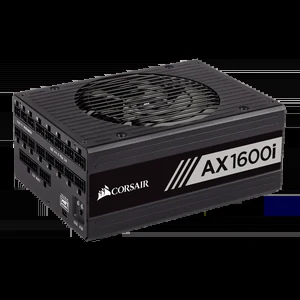
Corsair AX1600i
Flextronics-built, all-digital, and the only Corsair unit running GaNThe AX1600i is where Corsair stops doing what the rest of its range does. Flextronics, an enterprise-scale OEM, builds it around GaN semiconductors and a totem-pole APFC stage, with all-digital control circuits a PC interface can monitor and reconfigure. The feature that matters on a real build is the per-connector multi-rail OCP: instead of one shared current limit across the unit, you set it cable by cable, so a short on one GPU lead doesn’t have to share its trip point with everything else plugged in.
Pros
- Top-notch performance across every aspect Cultists Network tested
- Corsair iCUE handles monitoring and control
- Ships with a lot of single-ended GPU cables
Cons
- Very expensive
- Only 2 EPS cables and connectors, thin for some boards
- In-cable capacitors make routing harder to work around
The C14 AX1600i Sold in China and Australia
Units sold in China and Australia use a C14 receptacle instead of the worldwide C20, and the label on them says nothing about sub-200V input operation. The unit inside is otherwise identical, but the C14 socket carries lower current and temperature ratings than the C20 it replaces. Run one above 1.3kW on 120V mains or lower and the receptacle itself is what gives out, melting under load that the rest of the AX1600i would handle without complaint. Worth checking the plug before buying one secondhand out of either region.
Cultists Network calls the HX Platinum the best bet at 1kW or 1.2kW, and the switchable multi-rail is why: at that capacity, a single rail is carrying more current than any one cable should see, so the ability to split it matters in a way it doesn’t on smaller units. It’s Corsair’s second-best offering, very quiet even at high load, and the trade is physical: the HX is rather large, and its in-cable capacitors may be hard to work around during a build.
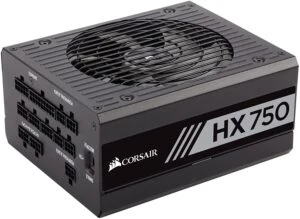
RMx 2018 vs RMx 2021: A Fan Swap, Not an Upgrade
The RMx 2018 has an odd gap in it: there’s no 1kW version. Corsair kept the older 2015 revision running at that capacity instead, and Cultists Network rates its performance as comparable anyway, so nothing is actually lost. Both the black and white 2018 cables run 16AWG, but the white version is the easier build of the two, dropping the in-cable capacitors for ribbon cables. The 1kW unit itself is built more robustly than the competition at that wattage, and it’s longer for it.
| RMx 2018 | RMx 2021 | |
|---|---|---|
| Fan | Hong Hua FDB alternative noted | Sunon Maglev |
| Cable gauge | 16AWG | 16AWG |
| In-cable capacitors | Yes (not in white version) | Yes |
| Noise at high load | Quieter | Somewhat less quiet |
| 1kW version | No (2015 revision instead) | Yes |
Corsair swapped the RMx 2018’s fan for a Sunon Maglev on the RMx 2021, and that’s the whole revision: performance and build quality match the 2018 exactly, yet the 2021 is somewhat less quiet at high load and costs somewhat more. A cheaper Hong Hua FDB fan would still have been very high quality and would have kept the 2018’s acoustics. Cultists Network notes the 2021’s noise is still reasonable set against the load level and against rivals, but a newer unit that’s noisier and pricier than the one it replaced is the part of Corsair’s range that doesn’t make sense on paper.
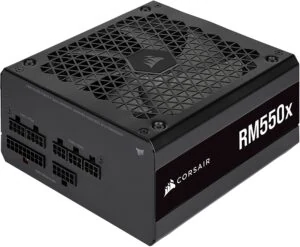
The RM 2019 and 2021 dropped Japanese-branded capacitors without dropping capacitor quality, which matters less than it sounds like it should: most ‘Japanese’ caps in consumer PSUs today are made in China, off the same factory lines as some of the brands sold as Chinese. The RM also skips the in-cable capacitors that complicate RMx builds, which is the real practical win here. The catch is price – the RM rarely sells as cheap as its position in the range would suggest.
- The RMe 1000W is ATX 3.0 compatible but ships with no 12VHPWR cable – budget for one separately, as Cultists Network advises
- RMe 750W and 850W sit in the single-rail tier A group alongside it
- The HXi 2013 is out of production
- The RMi is out of production
- Anything found now under either of those names is used, refurbished, or has been sitting in storage since
EVGA’s Badge Covers Two OEMs and 6 Tiers
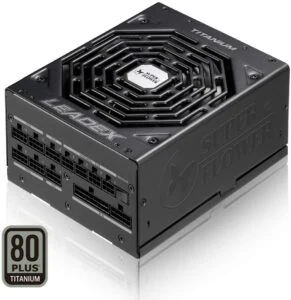
EVGA doesn’t build the P2 or T2 itself; Super Flower does, and the two units are a Leadex Platinum and a Leadex Titanium wearing a different sticker. Both are built robustly enough that miners worldwide ran them for years without the kind of failures that would have shown up fast under that load, and that’s the strongest reliability signal either unit has going for it. Where they split is noise: the T2 runs very quiet, the P2 doesn’t, and that gap is exactly why the Cultists list withholds the gold and blue highlight from the P2 while granting it to the T2. Both use a ball bearing fan, and ball bearings tick or rustle even spinning slowly, so neither unit disappears entirely the way a sleeve or fluid dynamic bearing fan can.
Pros
- Very robustly built on both the P2 and T2, with reliability proven under years of mining load
- The T2 runs very quiet
Cons
- The P2 isn’t as quiet as a modern high-quality unit should be, which is why it carries no gold or blue highlight
- The ball bearing fan on both units can tick or rustle even at low RPM
- 1.2kW and above on a single rail puts too much current through one path for comfort
- The 80+ Titanium version may cost too much more to be a good pick over the Platinum
The Seasonic-Built G6 and P6
Seasonic doesn’t sell its best unit under its own name – EVGA does. The G6 and P6, built by Seasonic, are the best Seasonic-made power supplies on the market, and they manage that in a chassis only 140mm deep, unusually compact for the wattages involved. Cable gauge splits the lineup by output: the 850W and 1000W models use 16AWG, while everything below 850W drops to 18AWG in pig-tailed cables, and that thinner gauge is exactly what keeps the sub-850W units off the gold highlight in tier A. The 80+ Platinum P6 isn’t really any better than the 80+ Gold G6, so the efficiency badge there is buying a label rather than performance, and the 1kW version is arguably pushing power density a bit too far for that same 140mm depth.
| Spec | G6 / P6 850W and 1000W | G6 / P6 below 850W |
|---|---|---|
| Cable gauge | 16AWG | 18AWG in pig-tailed cables |
| Depth | 140mm | 140mm |
| Tier A gold highlight | Eligible | Disqualified by 18AWG |
The badge alone tells a buyer nothing. The same EVGA that sells tier A P2s and G6s also sells the N1 and W1, and the Cultists list puts both in tier F – the replace-immediately bracket reserved for units with heavily malfunctioning protections, QC problems or outright design flaws.
Builders know EVGA’s name is supposed to mean something, but plenty of them can’t say which OEM actually built the unit sitting in front of them.
EVGA se que siempre hizo buenas fuentes, no se si este modelo se los hizo seasonic, habria que ver
Warranty Length Hides in the Suffix
You can’t read an EVGA unit’s warranty off the series name; it’s set by the two-character suffix tacked onto the model number, and that suffix is doing more work than any marketing copy on the box. Coverage runs from the date of purchase at an authorized reseller, not from manufacture, and the standard limited warranty only protects the original purchaser. These terms apply to anything bought on or after May 25, 2018.
| Suffix | Standard limited warranty | Transferable limited warranty |
|---|---|---|
| -X0 to -X9, -XR | 10 years | 3 years |
| -Y0 to -Y9 | 7 years | 3 years |
| -V0 to -V9, -VR | 5 years | 3 years |
| -K0 to -K9, -KR, -KB, -KA, -KF | 3 years | 3 years |
| -L0 to -L9, -LR | 2 years | 2 years |
| -BR, -RX, -B1, -BC | 1 year | Not covered |
| -RB | 90 days | Not covered |
Buy one used and you’re buying from an unauthorized reseller, but a transferable warranty still exists for exactly that case. It collapses most of the long suffixes down to 3 years regardless of how many years the original buyer had left, it runs from EVGA’s original shipment date rather than the resale date, and it only holds up with valid proof of purchase for the private sale itself.
Where the Warranty Quietly Stops Covering You
Mining and any uninterrupted use both fall outside the warranty – EVGA states plainly that its products aren’t designed or intended to run around the clock, which sits oddly next to the P2 and T2’s reputation as units miners ran for years straight. Open the housing or cut a factory cable and the cover is gone. Buy from an eBay or Amazon seller that isn’t EVGA’s own storefront and the cover never applied in the first place.
An RMA doesn’t send you back a new unit. What comes back is a recertified replacement that’s been thoroughly tested, possibly carrying small scratches, small dents or other signs of use, and it’s warranted only for whatever’s left of the original period, not a fresh clock. The one exception is a claim filed within 30 days of purchase, which gets a new in-box OEM replacement, subject to availability.
Seasonic’s Series Ladder and the Tier List’s Verdict
Seasonic ranks PRIME as its flagship, carrying both 80 PLUS Titanium and Platinum certification and a native 12V-2×6 cable built for RTX 50 Series GPUs. VERTEX sits close to PRIME’s own specs at a lower price, and FOCUS GX ATX 3.1 drops down again to a smaller, fully modular 80 PLUS Gold unit.
| Series | Seasonic’s positioning |
|---|---|
| PRIME | Flagship, 80 PLUS Titanium and Platinum, native 12V-2×6 cable, ATX 3.1 |
| VERTEX | Almost aligned with PRIME specs, more accessible on price, ATX 3.1 |
| FOCUS | Smaller and more affordable, typically 80 PLUS Gold; FOCUS GX ATX 3.1 is fully modular |
| CORE | Mid-range, fewer features and shorter warranty than FOCUS, semi-modular or fixed cables |
| G12 | Budget line for basic gaming and office, not geared to high-end GPUs or ATX 3.1 |
| B12 | Entry-level, for basic builds without heavy loads |
Below FOCUS, Seasonic’s own ladder keeps falling: CORE carries fewer features and a shorter warranty than FOCUS, with semi-modular or fixed cables instead of fully modular ones. G12 is built for basic gaming and office use and isn’t geared toward high-end GPUs or ATX 3.1, and B12 sits at the bottom, for basic builds that never see a heavy load. Seasonic’s own advice to buyers is to add 20-30% headroom on top of whatever wattage a build seems to need, to cover power spikes – which is the maker admitting outright that the number on the box isn’t the number to plan around.
The PRIME Shutdown Flaw
PRIME-based units shut down with RTX 3080 and 3090 cards installed, and Cultists Network calls this a design flaw rather than over-current protection doing its job, because the PSU doesn’t latch off when it happens. The same shutdown hit 1000W-plus PRIME models too, which rules out a simple capacity shortfall – a unit rated at 1000W or more has plenty of headroom for either card, so the problem isn’t the unit running out of power to give. The RX 6900 XT may be affected as well, and whether any of it shows up at all depends on the motherboard model and how far the GPU is overclocked.
Seasonic’s fix, through support, is a replacement 24-pin ATX cable, and the problem appears resolved in units built after 2021. What Seasonic hasn’t done is confirm that fix in writing, so anyone buying a used or old-stock PRIME unit is relying on a manufacture date and a support ticket rather than a statement from the company itself.
Where PRIME Lands on the Tier List
PRIME GX and PX units up to 750W keep normal priority tier A spots, but PRIME GX 850W and up drop to the low priority subtier, and so do PRIME PX 850W and 1000W. PRIME TX up to 1000W sits in low priority as well, along with the PRIME Fanless PX and TX models – the flaw costs standing on exactly the units big enough to be the ones running a high-end GPU in the first place.
Focus comes out of this looking better than PRIME. Focus GM, GX, White GX and PX all sit in single-rail tier A, and so does the Focus SGX 2019 SFX-L. The Focus SPX 2021 SFX is the exception: it didn’t survive the over-temperature protection test, with OTP set too high or possibly not functioning at all, and it lands in the tier B low priority subtier instead of alongside the rest of the family.
S12 and A12: Tier E and Tier F
- S12III and S12II EVO both claim no OCP on any rail, with no supervisor IC support behind that claim and no protection-test reviews to confirm it either way
- S12II Bronze had or has UVP problems
- S12II EVO 520W and 620W sit in tier E
- M12II EVO 650W, 750W and 850W sit in the tier C low priority subtier
- A12 is a downgraded, 230V-only version of the S12III platform
- A12 sits in tier F: replace immediately
Tier F means replace immediately, and tier E means a unit expected to qualify no higher than tier D, but plenty of these older Seasonic-built platforms are still sitting in real machines regardless of where they land on the list.
Tengo una fuente xfx fabricada por Seasonic de 750w Gold desde 2017,lq use hasta hace poco más de un año, y ahora está en la pc de mi novia sin dramas con una 3080, no la pienso cambiar mientras siga andando jaja. Lindo el setup blanco, pero si te sale más caro solo por ser blanco (suele pasar), gastaría esa guita en mejor hardware.
Super Flower’s Own Leadex Line
Super Flower’s reach goes beyond EVGA’s P2 and T2: it also builds the G2 and G3 series, and it sells that same engineering under its own Leadex name. The Leadex Platinum SE and Leadex Titanium both clear tier A, with the Platinum SE reaching single-rail capacities up to 1600W inside that same tier.
Buying Leadex directly is the catch. The line is almost non-existent in most countries’ retail, and nobody has reviewed the Special Edition revision that’s supposed to run quieter than the original. The practical workaround is to treat EVGA’s P2 and T2 as the same hardware, because they are, and they’re far easier to actually find on a shelf.
Even the units that clear tier A come with caveats worth weighing before paying up. The Titanium’s price can push it past being the smart buy, single-rail design above 1.2kW makes a multi-rail setup the more comfortable choice, and the ball bearing fan can rustle audibly at low RPM.
Where Leadex V Falls Short
Here’s the odd part: the EVGA-badged unit Super Flower builds for someone else is better built than Super Flower’s own cheaper Leadex V. The V series doesn’t fall out of tier A entirely, but it only holds the low priority and speculative subtiers, the bottom rungs of the bracket.
| OCP trip point | Setting |
|---|---|
| Super Flower Leadex V | 100.8% of nominal capacity |
| Most high-end PSUs | 120-140% |
That 100.8% trip point leaves almost no room above rated output before the unit shuts down, next to the 120-140% window most high-end units give themselves to let a transient spike pass through. The practical result: a 1kW Leadex V rides out a load spike more like a 750-850W unit from a brand that built in real headroom. The number printed on the box is rated capacity, not what the PSU can actually absorb.
Wiring Gauge Falls Short of Spec
Past the first PCIe connector, the Leadex V switches to 20AWG wire – thinner than ATX spec allows, and thinner than the 18AWG that tier A requires on the hot 12V leads feeding a GPU or an EPS connector.
Where Leadex VII and III Land
- The Leadex VII Gold made tier A’s ATX 3.0 group
- The Leadex III Super Bronze PRO only holds a speculative tier B spot
- The Leadex VI Platinum PRO sits in that same speculative tier B
- The Leadex Silver drops to tier C
Super Flower says it couldn’t have finished the Leadex VII XG and XP PRO lines without Cybenetics’ beta testing, crediting that outside lab’s feedback for getting the ATX 3.0 standards and safety margins right. Worth noting next to the Leadex V’s OCP and wiring problems: the line that went through an independent lab is the one sitting in tier A’s ATX 3.0 group.
Super Flower’s Leadex III ATX 3.1 750W vs Corsair’s SF750
Both units land at 750W, both are fully modular, and both carry 2 EPS connectors, which is as far as the overlap goes according to Pangoly’s listings. The Leadex III ATX 3.1 750W (part number SF-750F14GE) is rated 80+ Gold and built on the ATX standard, while Corsair’s SF750 (model codes CP-9020186-NA and CP-9020186-EU) is rated 80+ Platinum and built on SFX. Same wattage, same modularity figure, different certification and a different form factor entirely – the kind of pairing that only looks like a straight comparison until you check what’s actually being measured.
| Spec | Super Flower Leadex III ATX 3.1 750W | CORSAIR SF750 750W |
|---|---|---|
| Wattage | 750 W | 750 W |
| Type | ATX | SFX |
| Modular | Full | Full |
| Efficiency | 80+ Gold | 80+ Platinum |
| PCI-Express 16 Pin 12VHPWR Connectors | 1 | 0 |
| PCI-Express 6+2 Pin Connectors | 2 | 4 |
| EPS Connectors | 2 | 2 |
| SATA Connectors | 6 | 8 |
| Molex Connectors | 4 | 3 |
| Length | 150 mm | 100 mm |
| Model | SF-750F14GE | CP-9020186-NA / CP-9020186-EU |
| Release Date | January 2025 | January 2019 |
| Price | CDN$ 151.99 | CDN$ 209.99 |
The connector split is where the 6-year gap between these two shows up. Super Flower put 1 PCI-Express 16 Pin 12VHPWR connector on the Leadex III and trimmed back to 2 PCI-Express 6+2 pin connectors to make room for it; Corsair’s SF750 carries no 12VHPWR connector at all but keeps 4 PCI-Express 6+2 pin connectors. The SF750 also runs ahead on SATA, 8 against the Leadex III’s 6, while the Leadex III answers back with 4 Molex connectors against the SF750’s 3. That split points each unit at a different build: the Leadex III suits a current GPU running off its native 12VHPWR cable, and the SF750 suits a drive-heavy ITX box that was never going to plug a card into 12VHPWR anyway.
Length is what actually decides this, not price. The Leadex III runs 150 mm; the SF750 is 100 mm. A 50 mm gap like that means the two don’t fit the same cases, so they’re only rivals on paper. The reason an SFX unit from January 2019 still gets lined up against an ATX unit first listed in January 2025 is that the Cultists list still calls the Corsair SF the best true SFX unit on the market, 6 years into its run.
On price, Pangoly lists the Leadex III at CDN$ 151.99 against CDN$ 209.99 for the SF750, which works out to 28% cheaper and a CDN$ 58.00 saving. That gap is real, but it’s not just buying a Platinum badge for CDN$ 58.00 more – it’s buying the SFX form factor itself, and that premium holds whether or not the buyer ever needs the smaller footprint.
- 10 year warranty
- ECO semi-fanless mode
- FDB fan
- Cybenetics Gold rating alongside its 80+ Gold certification
The Corsair SF line isn’t uniform on noise either. The Cultists notes rank the 80+ Gold SF behind the 80+ Platinum version for quiet running, and it’s the Platinum version that beats some higher-capacity ATX units outright on noise. The SF750 only exists in the 80+ Platinum version, so anyone buying this wattage in SFX gets the quieter half of the SF range whether they went looking for it or not.
be quiet!’s Badge Covers Two Builders
Most be quiet! power supplies come off FSP’s lines, and FSP builds them solidly; these aren’t units that fall apart under load. What they come up short on, measured against the competition, is performance. The Dark Power Pro 12 breaks that pattern because it isn’t an FSP unit at all: CWT builds it instead, and it’s one of the best PSUs on the market. be quiet!’s own flagship is the one product in the range it didn’t hand to its usual OEM.
Pros
- Stays very quiet all the way up to 1kW of load
- Switches between multi-rail and single-rail operation
- Every PCIe cable is single-ended
- Rated top of the line performance by Cultists Network
Cons
- Costs less than Corsair’s AXi, but ‘less than the AXi’ is not the same thing as affordable
- Dark Power 13 clears tier A in the ATX 3.0 compatible group
- The non-Pro Dark Power 12 advertises multi-rail overcurrent protection that doesn’t actually work, which makes it a single-rail unit in practice regardless of what the spec sheet claims
- Pure Power 11 CM at 400W and above tripped when paired with AMD Vega and RTX 3080 cards
- Pure Power 11 under 350W only reaches tier D, which is iGPU-build territory and nothing more demanding than that
- System Power 9 at 400W and up, and System Power CM, both run on 230V input only
be quiet! uses Cybenetics for pre-sample testing and verification of results, and its relationship with Aris goes back to before Cybenetics existed as a lab. The FSP-versus-CWT gap running through the range isn’t a brand skipping its own homework; it’s a brand that checks its work and still ends up with one tier of unit on most of the shelf and a different tier on the one it builds elsewhere.
Antec’s China-Only Platform Swap
| Antec EA Pro Gold [7y warranty] | Antec EA Pro Gold China-only | |
|---|---|---|
| Tier | Tier A | Tier E |
| Platform | Independently regulated | Group-regulated |
| Builder | Not FSP | FSP |
| Warranty | 7 years | 3/4 years |
Antec sells an EA Pro Gold everywhere, and sells a China-only EA Pro Gold that shares nothing with it but the name. The version sold elsewhere runs an independently regulated platform and lands in tier A with a 7-year warranty; the China-only unit is an FSP build on a group-regulated platform, rated tier E, 6 tiers below, and covered for only 3 or 4 years. Same badge, same box art for all a buyer can tell, two different power supplies inside.
Check the Warranty First
If you’re looking at an Antec EA Pro Gold, read the warranty length before anything else on the box. 7 years means the tier A platform; 3 or 4 years means the China-only FSP build rated tier E.
Nobody at be quiet! or Antec publishes which factory built which unit, so the only way to know which badge covers which platform is volunteers working through professional reviews by hand. The Cultists tier list is at revision 17.0g, last updated 2023-04-11, and that work is the whole reason the FSP-versus-CWT split and the independently-regulated-versus-group-regulated split are visible to a buyer at all.
It looks simple but it is still hardwork done by people. I thought that everything is automatic but looks like no 😮 thanks to all this people that I can buy a cheap and good quality unit for my pc!

The Cheaper End of Tier A
ADATA had never shipped a power supply before this, and rather than picking a platform off CWT’s shelf, it asked for something custom built around CWT’s components. That custom work seems to have paid off: the Core Reactor usually turns up as the cheapest unit sitting in tier A at all, and the cable gauge running through it is heavier than anything else at its price. It comes in 650W, 750W and 850W, which covers most single-GPU builds without pushing into flagship pricing.
Pros
- High build quality with a heavier cable gauge than rivals at the same price point
- Runs quiet under load
- Stays quiet at idle even without a semi-passive mode
Cons
- No semi-passive mode, so the fan never fully stops at idle
Core Reactor’s reception pushed ADATA to go bigger with Cybercore, and this time the brand went after a name-brand fan supplier instead of whatever CWT had on hand. What it landed was a Nidec fan that’s essentially a PSU-sized Gentle Typhoon, built into a case small enough to look undersized next to its 1000W and 1300W capacities.
The Fan Nidec Didn’t Make
Nidec doesn’t build a 140mm fan that would have fit the Cybercore, so ADATA ran a 120mm instead, and reviewers at Cultists Network found the ball bearing design inside it rustles and ticks even at very low RPM.
Cooler Master’s own PSU history is mixed, uneven enough that the brand’s name on a unit doesn’t settle anything by itself. The V Gold V2 works because Cooler Master builds it in an almost exclusive relationship with Gospower, an OEM few builders could name but one with a long track record. The result is a quiet unit with cable gauge thicker than its price would suggest, sold as the black version in 650W, 750W and 850W, and as white in 550W, 650W, 750W and 850W.
Enermax’s Revolution D.F isn’t the best unit the brand makes on paper, and that’s exactly why it’s one of the best value, high-quality PSUs on the market: Enermax put ribbon cables inside it and ran a heavier cable gauge than rivals charge the same price for, in 650W, 750W and 850W.
Pros
- High build quality built on a proven CWT platform
- Very quiet operation
Cons
- Shorter warranty period than competitors offer
- Review coverage is thin compared with other tier A picks
- Strictly multi-rail with no single-rail switch
What Strictly Multi-Rail Costs a Modern Build
A GPU drawing over 400W or an unlocked Intel i7 or i9 can trip a strictly multi-rail unit with no single-rail switch, because the OCP tripping point sits lower per rail. Reading the manual and balancing the load across rails fixes it, but it’s a step this unit forces on you that a single-rail switch would have skipped.
Enermax’s older Platimax non-D.F units at 1200W and 1350W are out of production, so any listing for one today is used, refurbished, or has been sitting in storage since the line stopped, reviewers at Cultists Network note.
MaxTytan’s Socket Mismatch
Enermax’s MaxTytan wires its PCIe and EPS modular sockets to fit each other’s cables mechanically, but the two aren’t electrically compatible. Plugging a cable into the wrong socket can damage the PC, so matching each cable to its labelled socket isn’t optional.
Thermaltake’s Grab-Bag of OEMs
A Thermaltake sticker says nothing about who actually built the unit underneath it, and that’s the whole problem. The Smart 80+ and TR2 80+ White sit in tier F, and the Toughpower SFX 750 and 850 ship with protections that don’t actually trip when they’re supposed to. None of that tells you anything about the next Thermaltake box on the shelf, because the OEM changes series to series without warning.
Then there’s the TF1, a 1550W unit built on a high-end CWT platform, and it’s the best thing carrying the Thermaltake name, full stop. It runs relatively quiet for a supply that size, which is uncharacteristic of everything else in the lineup. The Toughpower GF3 lands in tier A too, up through 1350W, among the ATX 3.0 units that cleared that bar.
Thermaltake iRGB Plus Platinum
CWT-built RGB flagship, 850W to 1250W, tier AReviewers rate the iRGB Plus Platinum as probably the best RGB power supply available, and CWT builds it to the same tier A standard as Thermaltake’s other good units. The catch is the reason to buy it at all: cheaper or comparably priced non-RGB supplies beat it on performance per dollar, so it only makes sense if the lighting is the point. Buy it for that, not for the watts.
MSI’s First Steps Into 1kW
The A1000G is MSI’s first 1kW power supply, and CWT built it, which matters because CWT has decades of this behind it even though the platform itself doesn’t. Reviews on the unit are good: it’s compact, relatively quiet, and behaves the way a CWT design should. But a new platform with no track record is still a new platform, and buyers who just want 1kW with years of data behind it have the Corsair RMx and the EVGA P2 sitting right there as proven alternatives.
- MPG A-GF: multi-rail OCP doesn’t function, which makes it behave as a single-rail unit in practice
- MAG A-BN: only reaches tier C
- MPG A1000G (non-PCIE5): makes tier A
MSI itself frames the value of this relationship as being told where it’s falling short. Vice president James Yeh credits Cybenetics’ engineers’ technical expertise directly, and the company calls Cybenetics a loyal and supportive collaborator after years of working together. Worth sitting with, given how new MSI is to this category and how thin the independent record behind the A1000G platform still is.
That thinness shows up in how builders talk about the brand to each other. MSI’s reputation on power supplies is still being argued over in the threads where people actually ask before they buy, and the lab results get cited over the tier list.
msi psu failed lttlab testing. check for better psu there
ATX 3 on Paper, Then on Shelves
The document that earns a PSU its ATX 3 sticker is strict about some things and silent about others. It was inked in February 2022, but units actually carrying the finished badge didn’t land on shelves until 2023. It recommends a 12VHPWR cable on any unit rated over 450W, but ‘recommends’ is as far as the obligation goes: a PSU can carry the full ATX 3 badge and ship with no 12VHPWR cable in the box at all. If it does include one, Intel asks the maker to label how much power that cable can carry — it doesn’t require it.
The Sideband Sense Pins
| Sense0 | Sense1 | Permitted at power up | Max sustained after software config |
|---|---|---|---|
| Gnd | Gnd | 375W | 600W |
| Open | Gnd | 225W | 450W |
| Gnd | Open | 150W | 300W |
| Open | Open | 100W | 150W |
2 pins decide what that cable is actually allowed to carry, and the table behind them reads like a lock with four settings. Ground both sense pins and the cable clears 375W the instant the system powers up, 600W once the software handshake finishes; leave both pins open and the ceiling drops to 150W sustained, full stop. None of that changes how the power physically gets there, the cable itself now has to run 16AWG wire instead of 18AWG, which is the real reason a single 12VHPWR connector can carry what it carries.
The Limiter Anyone Can Ground Out
The sideband signalling is the one piece of intelligence ATX 3 bolts onto the connector, and it’s trivial to defeat. Short the 2 sense pins to a permanent ground inside the cable and the full 600W unlocks no matter what’s actually plugged in on either end. A cheap adapter advertising ‘600W full power’ could be shipping exactly that bypass, and nothing printed on the box would tell a buyer the difference. Nvidia’s own adapter does the opposite: a chip inside it drops the signal to 450W the moment only three of the four 8-pin cables are connected, protecting against exactly the failure mode a bypassed sideband invites.
Power Excursion Limits
| Time for power excursion | PSU ≤ 450W or no 12VHPWR | PSU > 450W with 12VHPWR | Testing duty cycle |
|---|---|---|---|
| Infinite | 100 percent | 100 percent | – |
| 100ms | 110 percent | 120 percent | 50 percent |
| 10ms | 135 percent | 160 percent | 25 percent |
| 1ms | 145 percent | 180 percent | 25 percent |
| 1µs | 150 percent | 200 percent | 10 percent |
Shipping an ATX 3 unit without the 12VHPWR cable isn’t free of consequence, it quietly lowers the bar the unit has to clear. A unit built with the connector has to absorb 200 percent of its rated power for a single microsecond; drop the cable and that figure falls to 150 percent. Current GPUs spike well past their rated draw in exactly that kind of excursion, and a unit without the headroom to match it just trips its own overcurrent or overpower protection and shuts off.
| Slew rate requirement | 5x higher than previously |
| 12V nominal voltage | up to 12.2V |
| 12V rails defined | 4 (12V1, 12V2, 12V3, 12V4) |
| 12V2 | CPU only |
| 12V3 / 12V4 | shared 12VHPWR duties |
| 12V1 | divided among other components |
| Minimum efficiency at 20/50/100% load | 65/72/70 percent |
| Efficiency over 500W at 2% capacity | 70 percent |
| +5VSB | 3.5A for half a second |
| Power cycles | 175,200 minimum |
The electrical side of ATX 3 asks for more than the connector. Slew rate requirements jump five times over the old standard, and 12V nominal voltage rises to 12.2V specifically to cover the voltage droop a big excursion causes. The standard also carves 12V into four named rails: 12V2 feeds the CPU on its own, 12V3 and 12V4 split the 12VHPWR duties between them, and 12V1 covers whatever else is left. A unit fitted with 12VHPWR has to handle twice the current change per microsecond that a unit without the connector does.
Efficiency is where the badge asks for almost nothing. The minimum is 65/72/70 percent at 20/50/100 percent load, figures a Bronze-rated unit from a decade ago would clear without trying. The one place ATX 3 goes beyond 80 Plus is at the bottom of the load curve: anything over 500W has to hit 70 percent efficiency at just 2 percent of capacity, which for a 750W unit means holding that figure at 15W of output. 80 Plus doesn’t test anywhere near that low until Titanium, and even then only below 20 percent load.
Two smaller requirements round out the standard. The +5VSB rail, normally built to carry 3A, now has to tolerate 3.5A for half a second before its overcurrent protection steps in — enough to fast-charge a phone off a sleeping PC. And the 175,200 power cycle minimum works out to about 48 years at 10 switch-ons a day, a figure that sounds generous until you notice the fan is excluded from it, and the fan is the part that actually wears out first.
The Melting 12VHPWR Connector
Some owners of Nvidia’s Ada cards watched their 12VHPWR connector melt, and Gamers Nexus reproduced the smoking cable in its own lab rather than taking the reports on faith. The failures came down to two causes: manufacturing debris left inside the connector, and cables that weren’t fully seated before power-on. The rate was under 1 percent of cards, which doesn’t make it nothing, but it does mean the fix for almost everyone is the boring one, push the cable in until it clicks before flipping the switch.
Tier List Rules for ATX 3.0 Claims
The Cultists Network tier list doesn’t take an ATX 3.0 claim at face value. To sit in the Tier A ATX 3.0 group, a unit needs either an entry in Intel’s own database or third-party power excursion tests backing the claim up; a claim with neither, or one that failed an Aris review on exactly this point, drops out of normal priority into a lower subtier. The list makes its own counterpoint too: a good 1-1.2kW unit built before ATX 3.0 existed usually already has enough transient headroom to meet the standard’s demands, badge or no badge.
The tier list pushes further on the connector itself. The PSU-side 12VHPWR receptacle isn’t required by ATX 3 at all, because the 4-pin sideband part is passive and can simply be shorted to ground inside the cable — which is exactly what Corsair did on its replacement cable, two modular 8-pin connectors with the sideband pins tied to ground. A single 8-pin PCIe cable handles around 342W in the worst case, and per-pin current capacity is identical to 12VHPWR’s, so a cable running two 8-pins on the PSU end actually carries more thermal headroom than one wearing 12VHPWR at both ends.
Multi-Rail: Safer or Riskier
Custom PC and the Cultists Network don’t agree on whether ATX 3’s four defined 12V rails are good news. Custom PC argues multi-rail designs are safer again under the new standard, because no single rail or cable can be asked to draw enough current on its own to start a fire. The Cultists Network tier list warns the opposite about strictly multi-rail units, the ones with no switch to single-rail mode, saying they can trip on GPUs drawing over 400W or on unlocked Intel i7 and i9 CPUs, because the overcurrent trip point on any one rail sits lower than the system’s total draw. Its advice is to read the manual and balance the load across rails rather than assume the badge has done that work already.
The badge is already moving past what most reviews have caught up to. Seasonic lists ATX 3.1 and PCIe 5.1 support across exactly four series, PRIME TX/PX, VERTEX GX/PX, FOCUS GX and CORE GX/GC, and the PRIME line ships with a native 12V-2×6 cable instead of an adapter. A catalogue entry like that moves faster than a bench review ever can.
Pros
- 16AWG wire on the 12VHPWR cable, up from 18AWG
- 12V nominal raised to 12.2V to cover excursion droop
- Units with 12VHPWR must absorb 200 percent of rated power for 1 microsecond
- Units over 500W must hit 70 percent efficiency at 2 percent of capacity
Cons
- An ATX 3 PSU can legally ship with no 12VHPWR cable at all
- Intel recommends but doesn’t require labelling the connector’s wattage
- Minimum efficiency is only 65/72/70 percent at 20/50/100 percent load
- Grounding the sense pins bypasses the safety limiter entirely
- The 175,200 power cycle figure excludes the fan
Telling a Dying PSU From a Dead Board
A board that won’t post and a power supply that’s failing produce the exact same symptom from the outside: nothing happens when you hit the power button. That overlap is why so many builders condemn the motherboard first, and it’s the wrong order to work in. Fans spinning and RGB lighting up don’t clear the board of anything either, since both only prove the power supply is pushing out some voltage, not that it’s pushing out the right voltage at the right time under load. Test or swap the power supply before you suspect anything else, and keep a PSU tester in a drawer; they cost little and they settle the question before you’ve spent a cent on a new board.
The crash pattern itself is a diagnostic. A BSOD that throws a different error code every time points at hardware underneath that can’t be trusted, while the same code coming back again and again is almost always a driver or software fault rather than a component dying. A failing capacitor doesn’t announce itself with a clean error at all; it shows up as stability sliding away over weeks, the machine getting a little less reliable each time until it shuts down without warning.
Capacitors that have started to fail share a specific weak point: they can’t handle the initial power draw spike when the system first turns on. That produces an intermittent pattern builders describe the same way, a machine that struggles to boot and then, once it finally does, runs without a hiccup.
That weird window where it works perfectly after finally booting always makes diagnosing a pain. had a similar gremlin on an old build and it turned out to be a failing capacitor in the psu, it just couldn’t handle the initial power draw spike anymore. swapping the psu is the least painful first step if you can borrow one to test
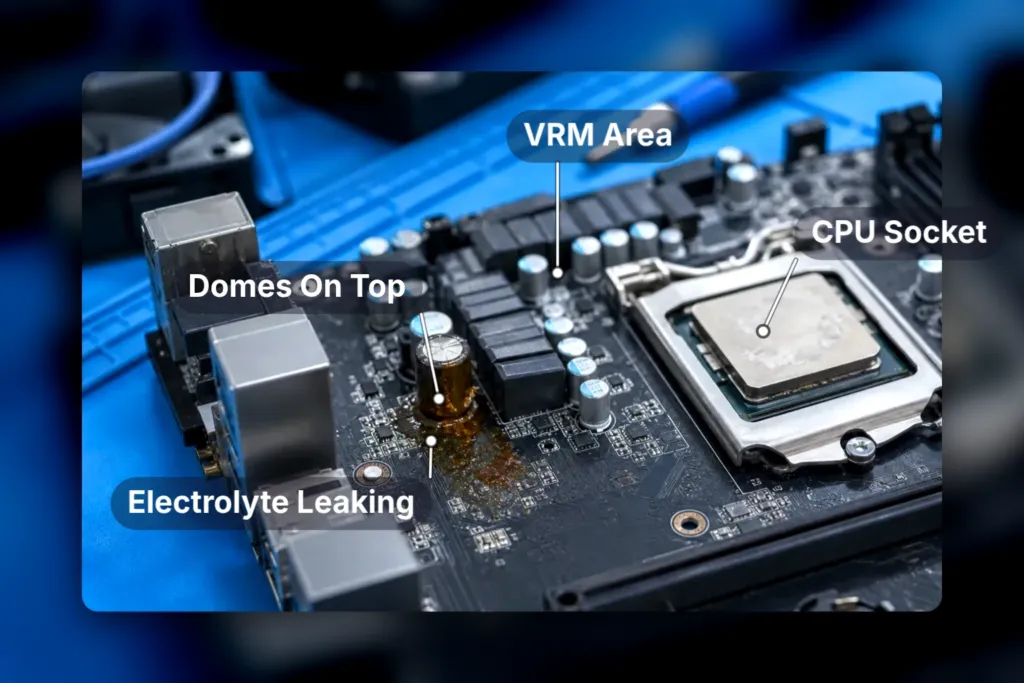
- A perfectly flat top on a capacitor means it’s healthy
- A capacitor that bulges or domes on top has already failed
- Rust-coloured electrolyte leaking around a capacitor’s base confirms the failure
- Burn marks around the VRM area near the CPU socket point at power delivery on the board itself
- Burn marks near the power connectors tell the same story closer to where power enters the board
- Burns specifically at the 24-pin or 8-pin connectors point at the power supply as the cause, not the board
Stop Running a Failing Board
Every crash on a board that’s already failing risks the CPU riding along with it when the board finally goes. A power supply delivering unstable voltage can do the same damage two ways: slowly, wearing the board down over months, or all at once in a surge event that takes it out in a single spike. Neither outcome is worth chasing a few more boots out of a machine you already suspect is failing.
Once the power supply is ruled out, a POST diagnostic card is the next cheap step: $10-15, plugged into a PCIe slot, reporting a two-digit hex code for exactly where the boot process stalled. Code 00 or FF, according to Fix My PC Store, means the board never got through basic initialisation. Code C0 or C1 points at memory failing to initialise. Code A2 usually means the problem is in storage, not the board at all, which is the kind of distinction that saves someone from replacing a motherboard over a bad drive.
- Unplug the system from the wall, wait 30 seconds, then try a different reviewer
- Test or swap the power supply before anything else
- Reseat the RAM, then try one stick at a time in different slots
- Disconnect add-in cards, extra drives and USB devices
- Swap the monitor and cable before blaming the board
- Inspect the board visually for bulging capacitors and burn marks
Cybenetics and the Cultists Network Tier List
Seasonic says Cybenetics runs a unit through nearly 24,000 different load conditions; 80 PLUS, by comparison, only mandates efficiency testing at sub-20% load for units that already carry its Titanium rating, which means every badge below that tells you nothing about how a PSU behaves once the load drops low. Cybenetics also reports precise sound level figures, a measurement an 80 PLUS sticker was never built to carry at all.
That same lab sells beta testing to the brands whose finished products it later grades. Corsair’s Jon Gerow calls it an additional layer of testing and says Cybenetics caught corner-case efficiency, noise and build problems his own engineers had missed before launch. FSP goes further, calling Cybenetics the authority it entrusts with testing outright. None of that means the published numbers are cooked, but it does mean the lab reviewers cite sits on both sides of the table.
- Cooler Master says Cybenetics validates its entire list of ATX specifications
- NZXT credits Cybenetics testing with the high performance and low failure rates of its units
- Corsair says Cybenetics pinpointed issues in its engineering samples before they shipped
- Super Flower says it finalised the LEADEX VII XG and XP PRO with Cybenetics’ help
Who Maintains the Tier List, and How
The PSU Tier List isn’t an institution, it’s six people — Juular, Luke Savenije, Elisis, Aden, Baloca and Goldenlag, working from whatever reviews happen to exist. A unit reviewed without protection tests doesn’t get a clean placement on the strength of its other numbers; it drops to a low priority subtier regardless. A speculative placement is explicitly flagged as not recommended over a properly reviewed unit sitting a tier lower, and one test point out of spec on ripple, regulation or transient response doesn’t trigger a detier by itself.
What ‘Low Priority’ and ‘Speculative’ Actually Mean
Low priority means the unit was reviewed directly, but without protection testing, so the bench numbers are real and the safety checks are simply missing. Speculative position needs almost nothing by comparison, just the primary and secondary topology, unless the placement is tier A, where that shortcut closes and a full teardown or a Cybenetics report is required instead.
On build threads the tier label gets passed around as the whole verdict, nothing else attached. One builder posted a parts list and summed up the vetting in four words:
these are all A-tier rated.
How a Brand Ends Up in Tier F
Gamemax and Gamepower, Aresgame and Pystar, and NOX each have every single unit they sell sitting in tier F, and the footnote explaining why doesn’t point at a bad capacitor. It names review sample manipulation, design downgrades slipped in after the review ran, components swapped out without any change to the branding, and paid reviews outright. That’s the review process itself getting gamed, not a circuit failing a test bench.
Jetek’s entire line sits in tier E on the strength of one reviewer’s bench: Poiu at TweakPC found the over-temperature and over-current protection simply didn’t trip on the units tested. That’s a thin evidence base by the list’s own rules, and it cuts both ways — a brand’s whole standing here can rest on a single report, whether that report happens to be damning or flattering.
Gigabyte’s P-GM non-Aorus units under 850W had a very high dead-on-arrival rate, with underrated FETs that exploded outright under sustained stress, and that’s why every one of them sits in tier F. A claimed fix supposedly cleared units built after early 2021, though nothing pins down an exact cutoff where the bad revision stops showing up. The 1000W SKU is newer and assumed fixed from the start, which is enough to place it in a low priority subtier of tier C, but no review has ever confirmed that fix, so the placement is a guess wearing a tier letter.